
Feature Work · iOS & Android · Product Design
Marrow is India's leading platform for medical postgraduate entrance preparation — trusted by lakhs of doctors across NEET PG, INI-CET, and beyond. I joined as a product designer working on features, flows, and improvements across a product already deeply embedded in people's lives.
lakhs of doctors
3
projects shown here
A small slice of the work — selected to show the breadth of problems tackled within an existing, live product.
Context
Designing inside
a living product.
Well-established product
Years of design decisions, patterns, and user habits already baked in. Every change had to feel native.
Lakhs of active users
Hundreds of thousands of students in high-stakes exam prep. Any UX misstep has real consequences.
First principle
Minimal change, always first.
Before exploring bold directions, the first question was always: can we solve this by changing as little as possible? Sweeping redesigns weren't an option.
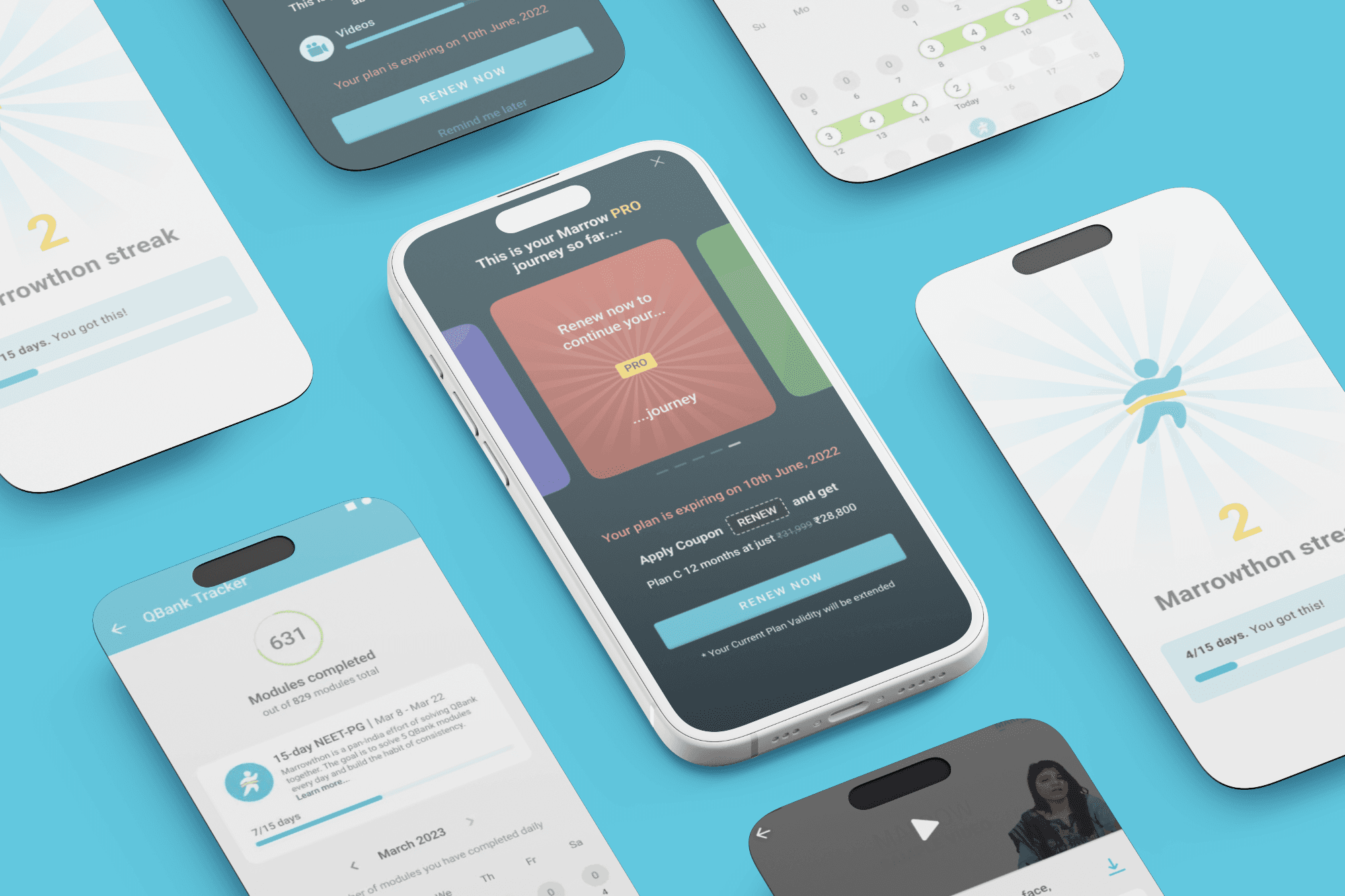
Three projects, three different kinds of problems — a new feature layered into an existing video surface, an in-app event that the product was completely ignoring, and a renewal experience that treated its most loyal users like strangers.
01
Interactive Videos
Interaction design · User research · Edge case thinking
03
Renew Experience
Conversion design · Copywriting · Behavioural psychology
02
Marrowthon
Engagement design · Event systems · Motivational UX
01
Interactive Videos
02
Renew Experience
03
Marrowthon Experience
01
Feature · Video
Interactive
Videos
UX Designer
ROLE
6 Months
TIMELINE
ios/Android
PLATFORM
BRIEF
Project Overview
Students spend a significant amount of time watching MCQ discussion videos during exam preparation, but the current experience is largely passive and linear.
Although the content itself is valuable, the product does not support the natural behaviour students already exhibit while learning. Users frequently pause the video, attempt the question on their own, resume playback, seek forward to check the answer, and go back if they are wrong.
From a UX perspective, this creates unnecessary friction, repeated effort, and breaks the learning flow.
The brief for this project was to redesign the MCQ discussion videos experience in a way that feels more interactive, intuitive, and responsive to real student behaviour.
Instead of forcing users to manually create their own learning flow, the product should support that flow directly through in-video interactions, instant feedback, and easier navigation.
PROBLEM
Students built a workaround. The product never noticed.
Students already try to make MCQ videos interactive on their own. Instead of passively watching, they pause, solve, seek, and resume repeatedly throughout the session.
This creates unnecessary effort and breaks the natural learning flow.
01- Current User Behaviour
Pause Video
Students pause the video as soon as the MCQ appears so they can attempt it independently.
Solve Manually
They try to solve the question on their own before hearing the faculty explanation.
Resume Playback
Once they decide on an answer, they continue the video to check whether they were correct.
Seek Forward
If they are right, they manually skip ahead to save time and move to the next question.
Seek Backward
If they are wrong, they often go back to listen to the explanation again.
02- Pain Points
User Friction
These are the functional issues users face while navigating the current experience.
Too much manual effort
Users constantly pause, seek, and scrub through the video.
Hard to find answers
There is no clear indicator of where the correct answer is revealed.
Poor experience on 2x speed
Fast playback makes it even harder to pause and seek accurately.
Slow navigation
Moving between questions takes more time than necessary.
Breaks learning flow
Constant interruptions make the experience feel fragmented.
Emotional Friction
Beyond usability, the current experience also creates frustration and fatigue.
Feels repetitive
Users repeat the same pause-and-seek behaviour for every question.
Wastes time
Exam-focused students want faster ways to move through content.
Creates frustration
Finding answers manually feels inefficient and tiring.
Less engaging
The experience feels passive instead of interactive.
Adds stress during exam prep
Too much effort during revision can feel overwhelming.
GOAL
Opportunity, Solution & Design Principles
Students are already trying to create an interactive flow manually by pausing, solving, seeking, and resuming videos on their own.
The opportunity was to support this behaviour directly inside the product.
What are we solving ?
Solve inside the player
Answer MCQs without leaving the video.
Instant feedback
Know immediately if the answer is correct.
Faster progression
Move to the next MCQ without manual seeking.
Explanation revisit
Go back to explanations more easily.
Less manual effort
Reduce pause, seek, and scrub behaviour.
Better engagement
Make learning feel more active.
Defining Principles
Persistent actions
Keep answer options and “Next MCQ” visible.
Non-intrusive design
Do not interrupt the learning flow.
Clear feedback
Show correct and wrong states instantly.
Playback aware
Work smoothly across pause states and 2x speed.
EXPLORATIONS
Exploring the experience
Different interaction patterns were explored to understand what would feel the most useful and least disruptive.
The focus was on balancing engagement with simplicity.
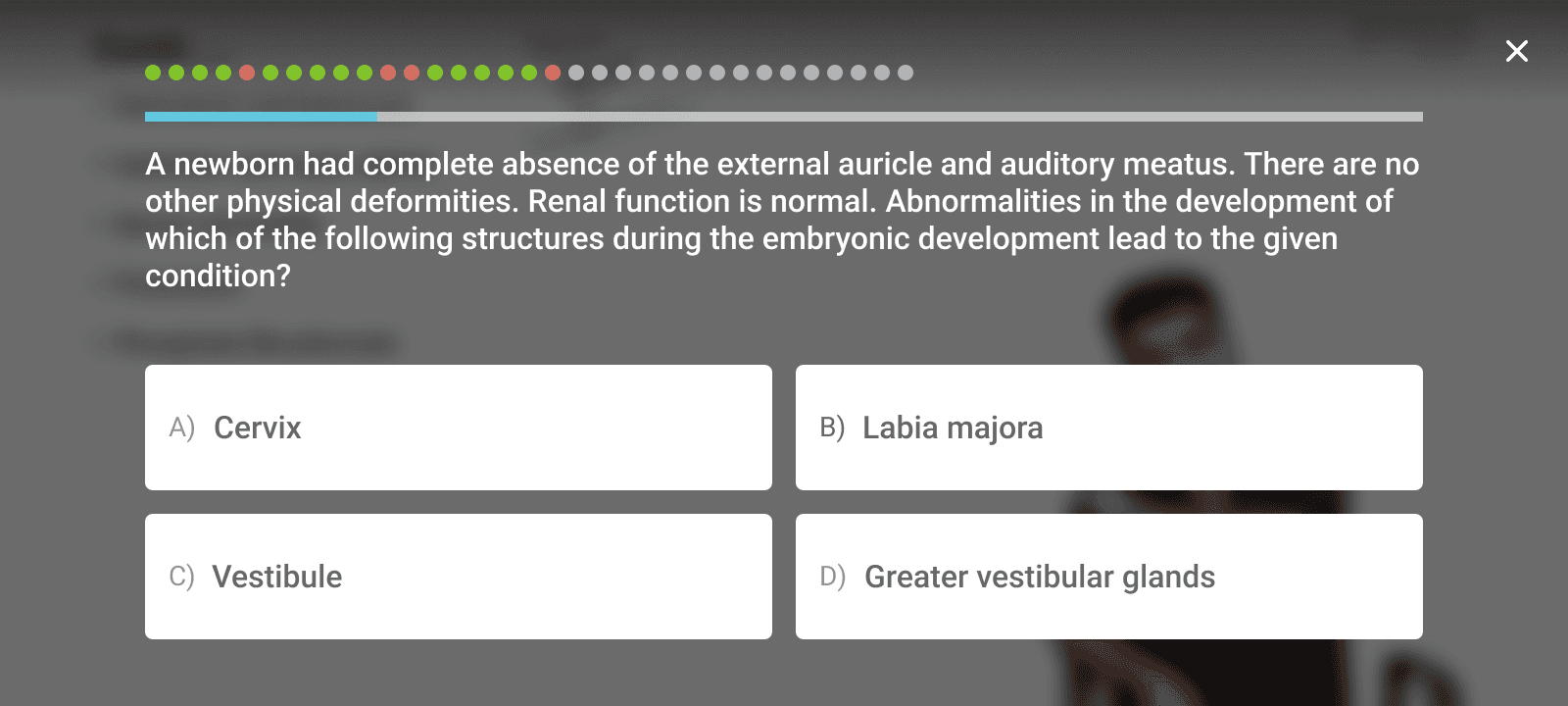
OPTION 1
Full-Page Overlay
Long questions · Image-heavy content · High focus interactions
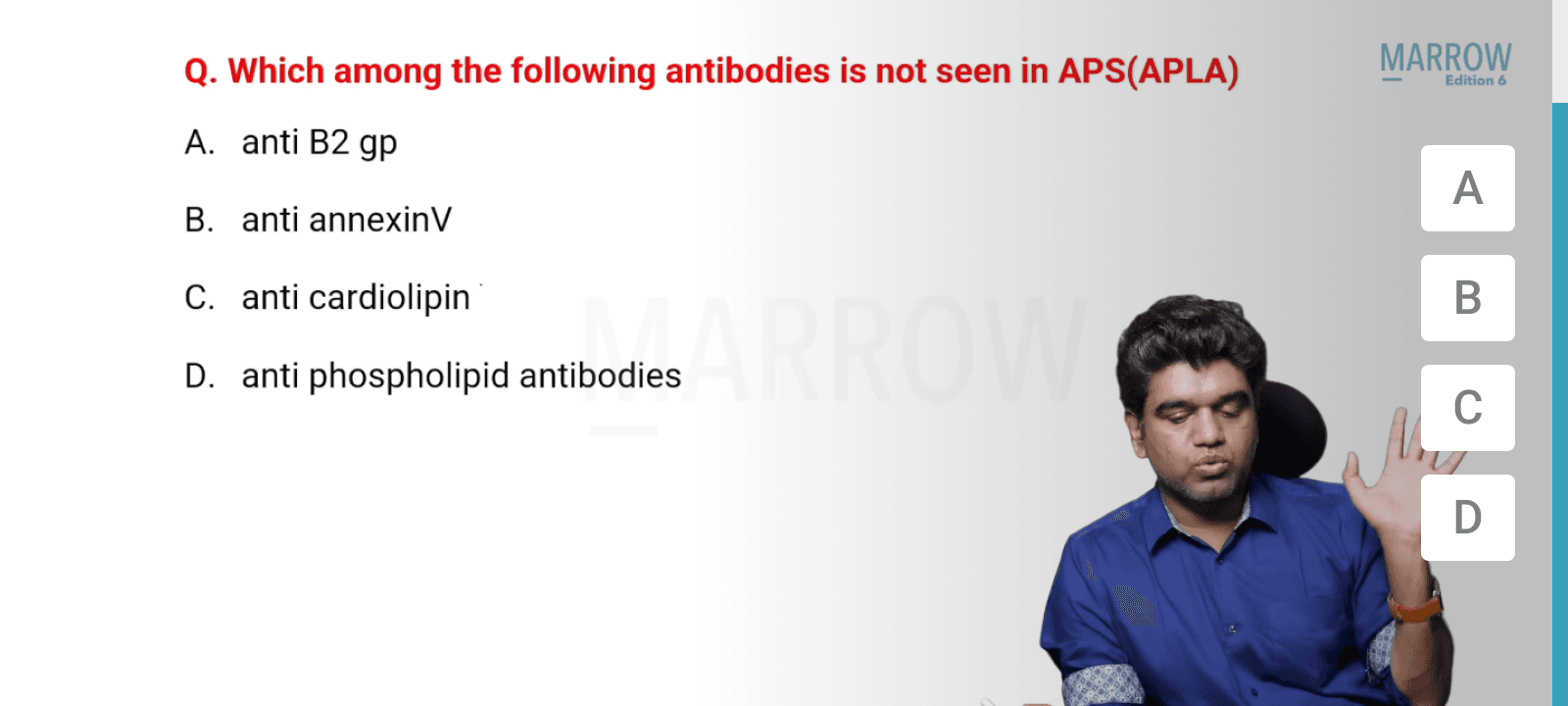
OPTION 2
Side Panel Layout : Auto pause with timer
More focused · Better for important questions · Slightly more disruptive
EXPLORATIONS
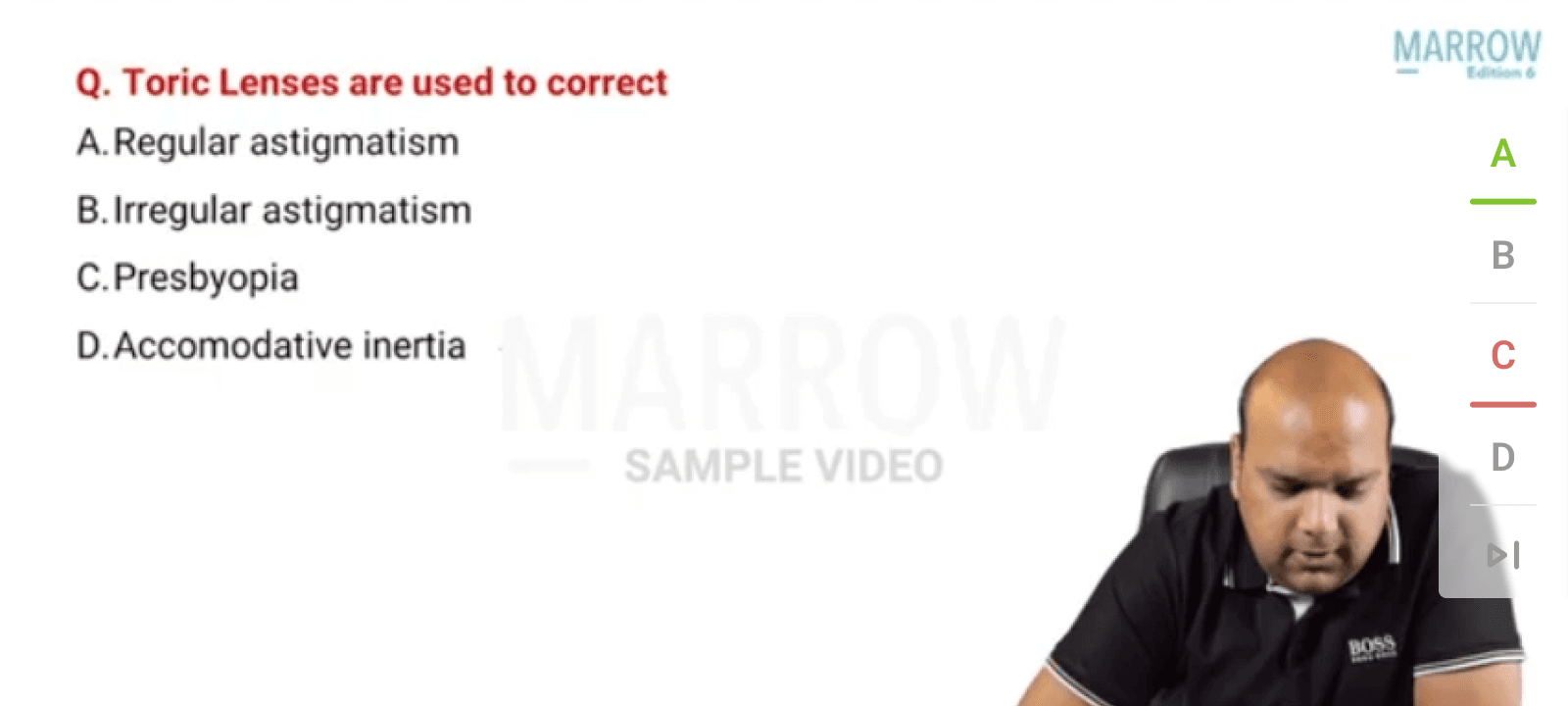
UI Explorations
Different interaction patterns were explored to understand which layout felt the most intuitive, least disruptive, and most effective for learning.
The focus was on balancing usability, visibility, and engagement without interrupting the video flow.
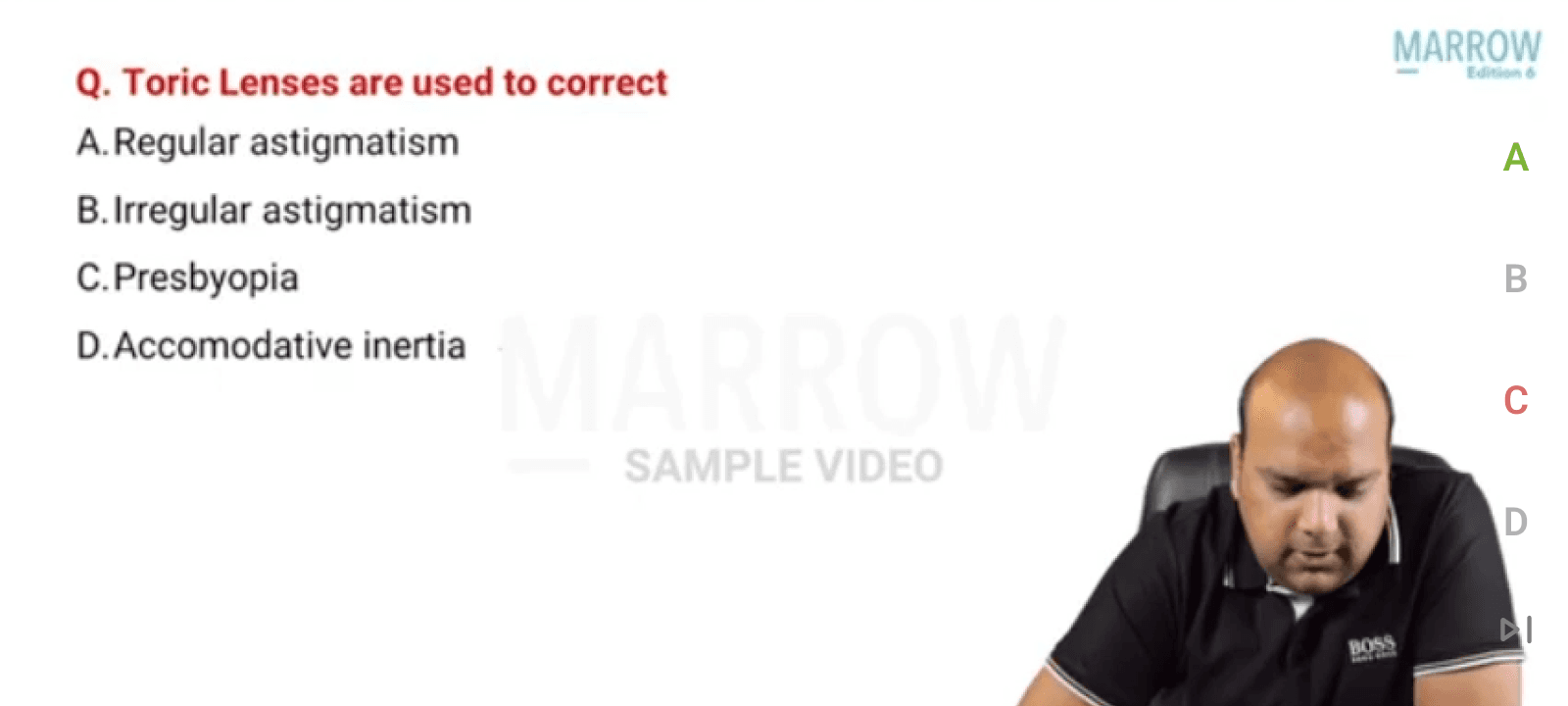
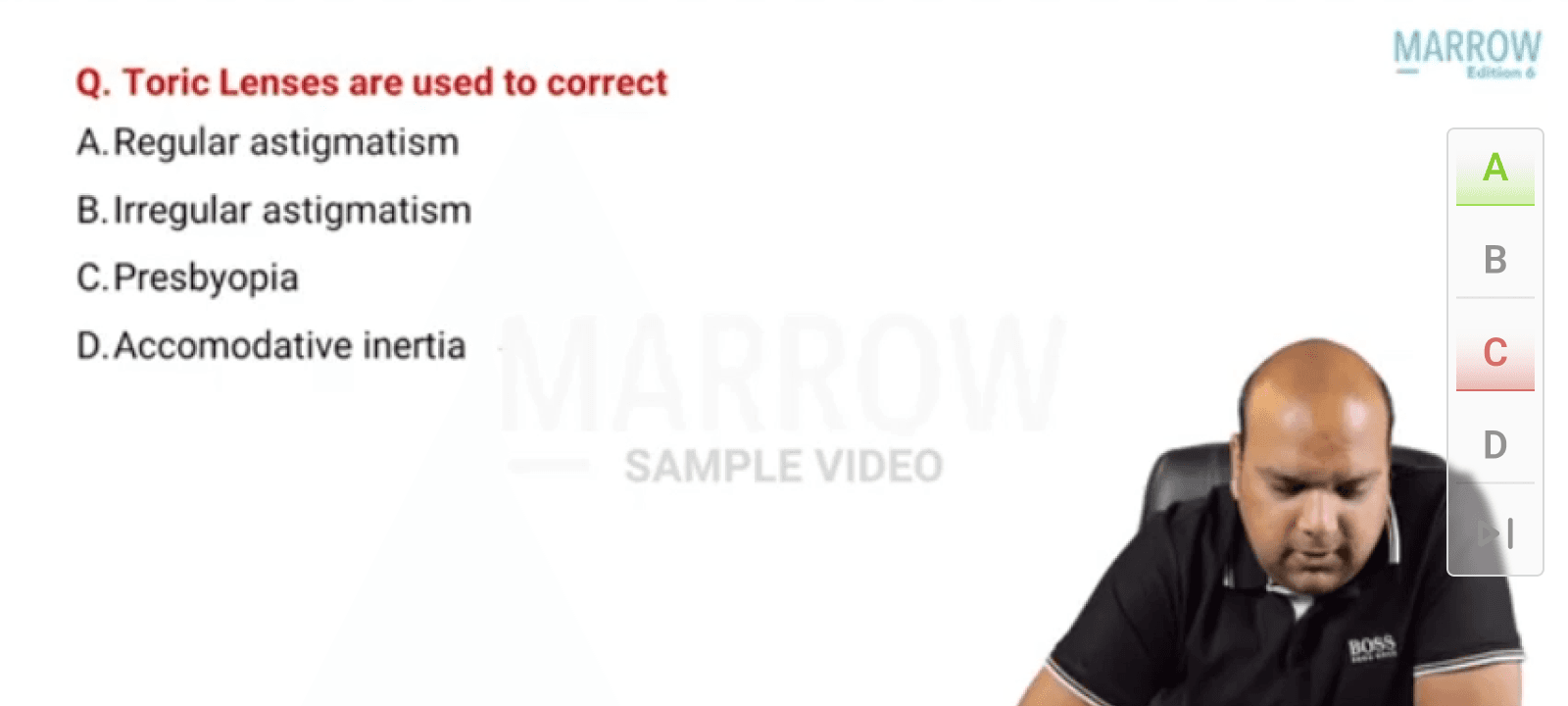
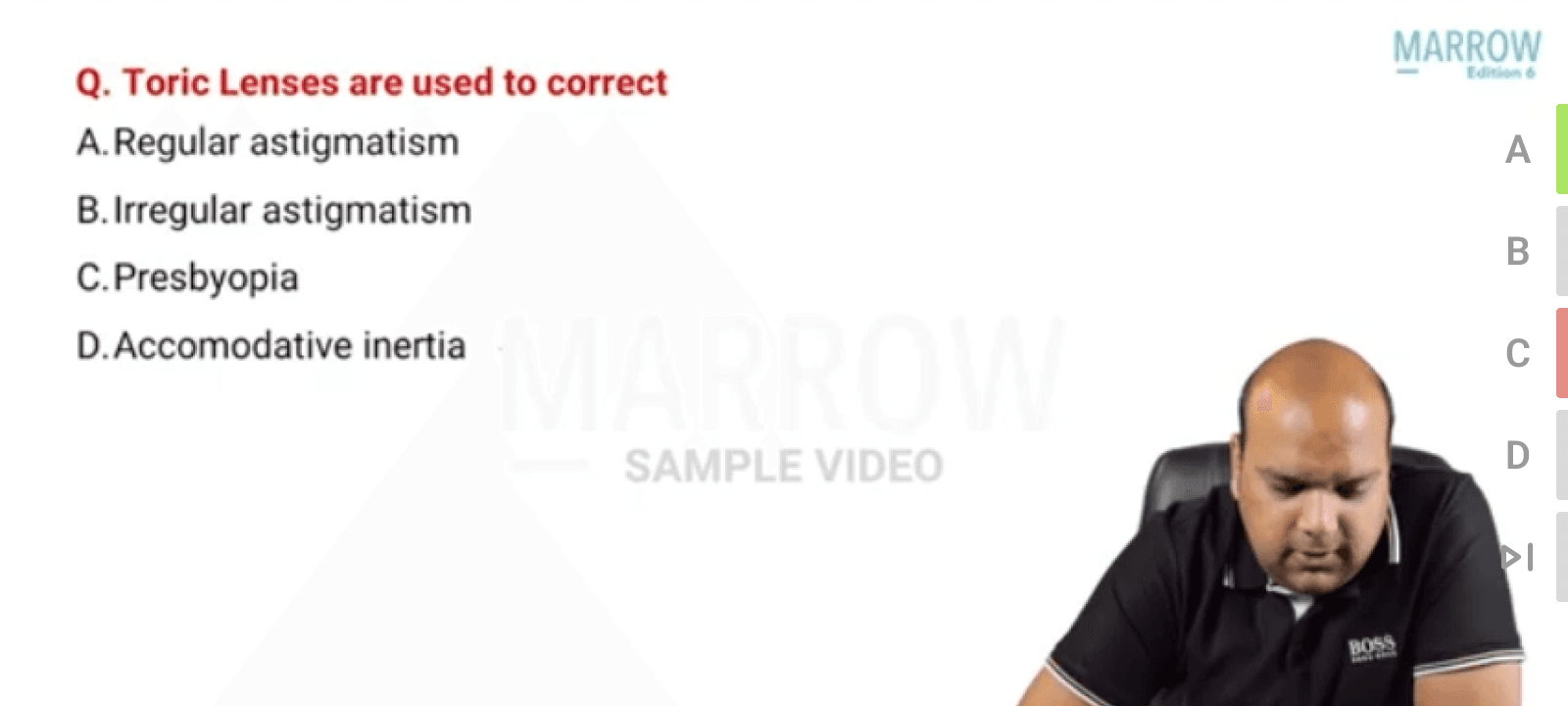
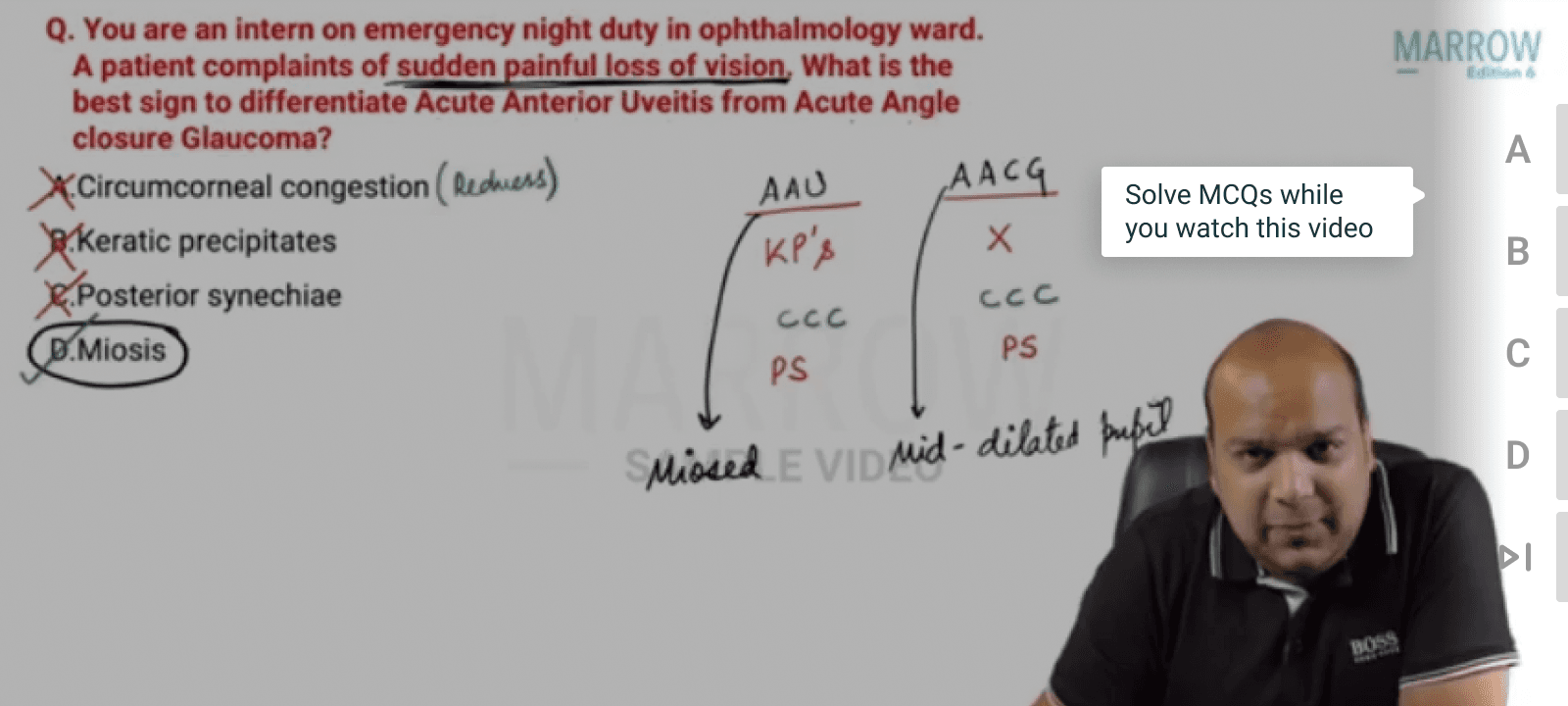
FINAL
The solution
SCREEN 1
Feature Introduction
Feature only appears in landscape mode and a tooltip pops up the first time it's opened
SCREEN 2
Feature Setting
The feature is optional and the user can turn it off using the toggle in the settings
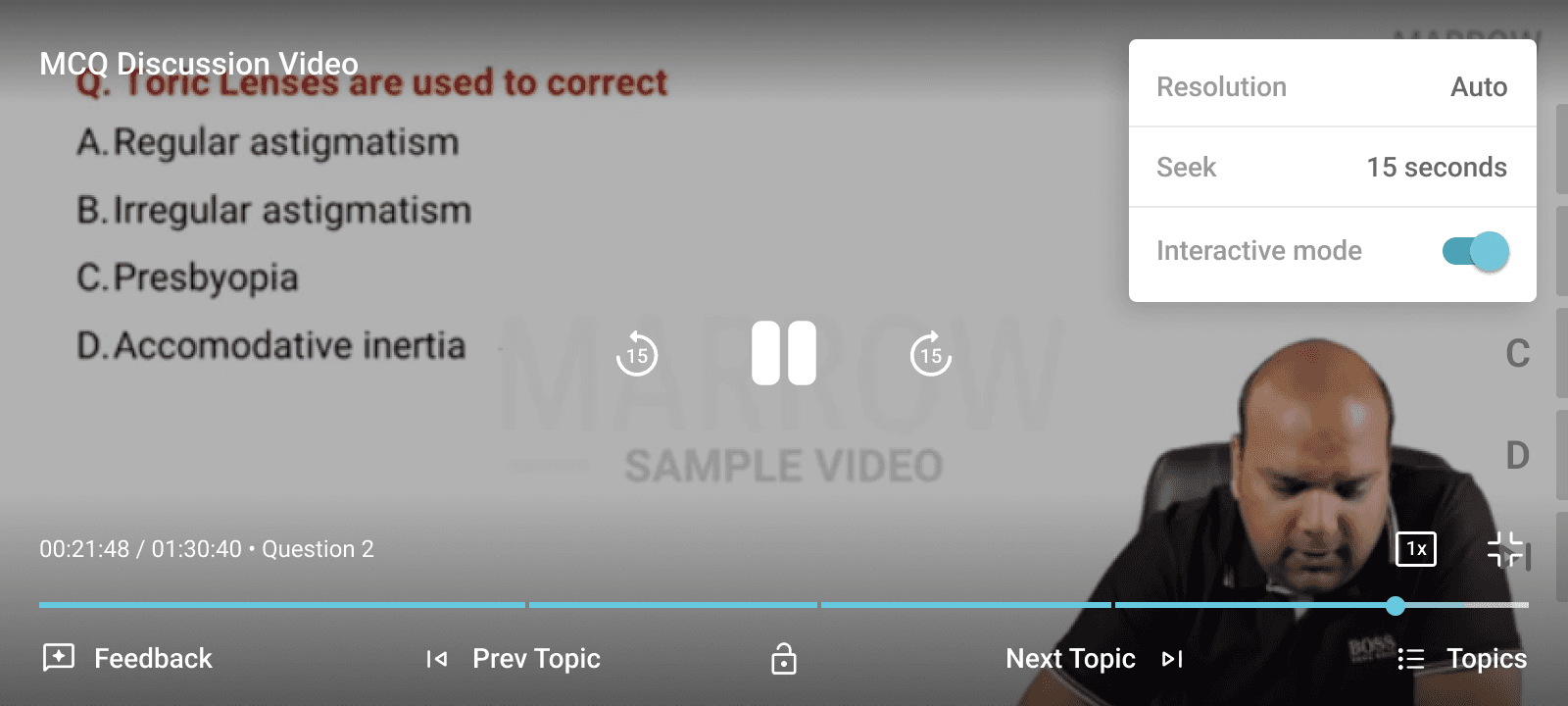
SCREEN 3
Default MCQ State
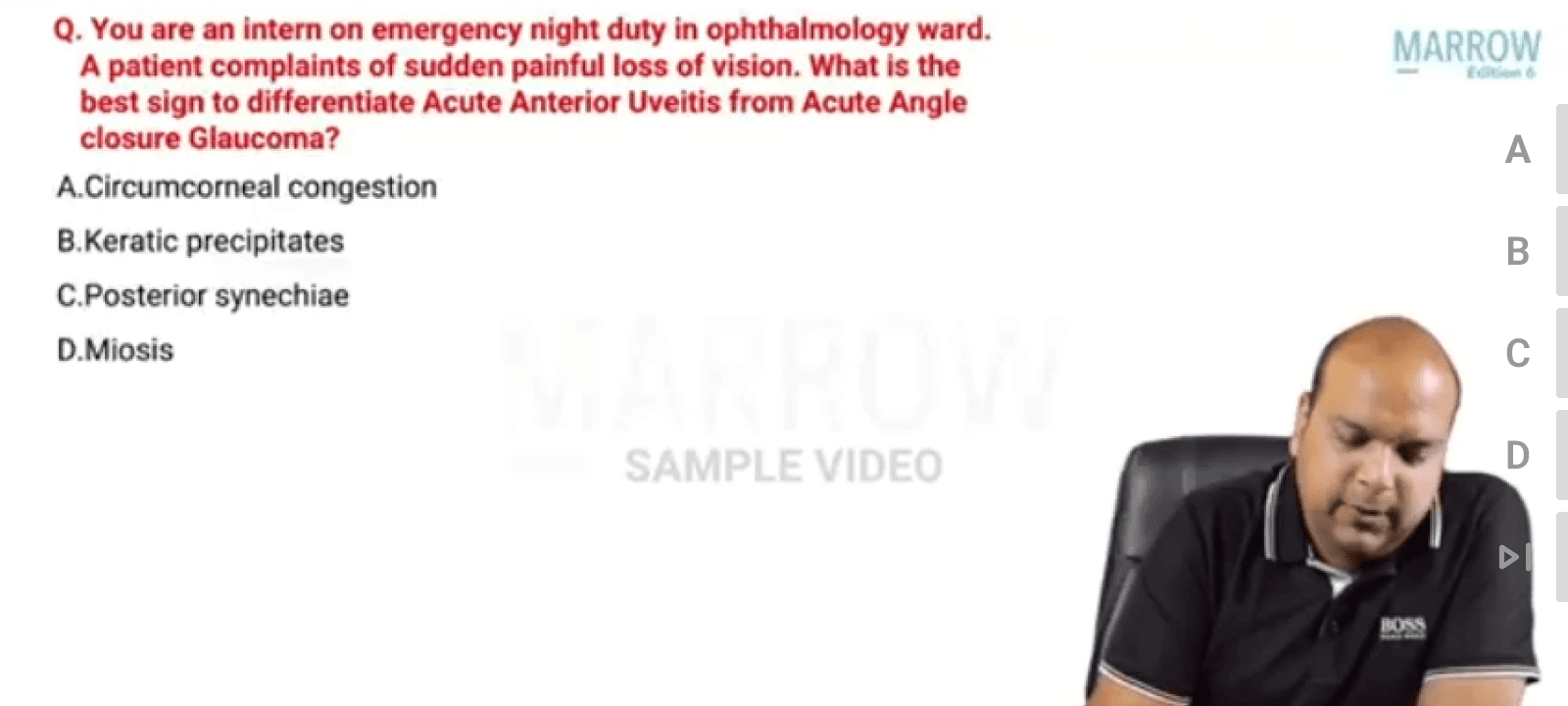
SCREEN 4
MCQ Selection State

01
Interactive Videos
02
Renew Experience
03
Marrowthon Experience
02
Feature · GROWTH
Renew Experience
UX Designer
ROLE
3 Months
TIMELINE
ios/Android
PLATFORM
BRIEF
Project Overview
Increase renewal conversions by redesigning all in-app renewal touchpoints (banners + pop-ups) to be clearer, more engaging, and more persuasive.
GOAL
What's need to be done
The goal was to create a renewal experience that feels more premium, motivating, and conversion-focused.
Introduce urgency gradually
Make benefits more visible
Highlight user progress and investment
Improve CTA clarity
Make renewal feel like a continuation, not a transaction
PROBLEM
Current screen
The current renewal flow communicates expiry, but does very little to motivate users to renew.
Most banners and popups feel like reminders rather than persuasive moments, which causes users to ignore them or postpone action.
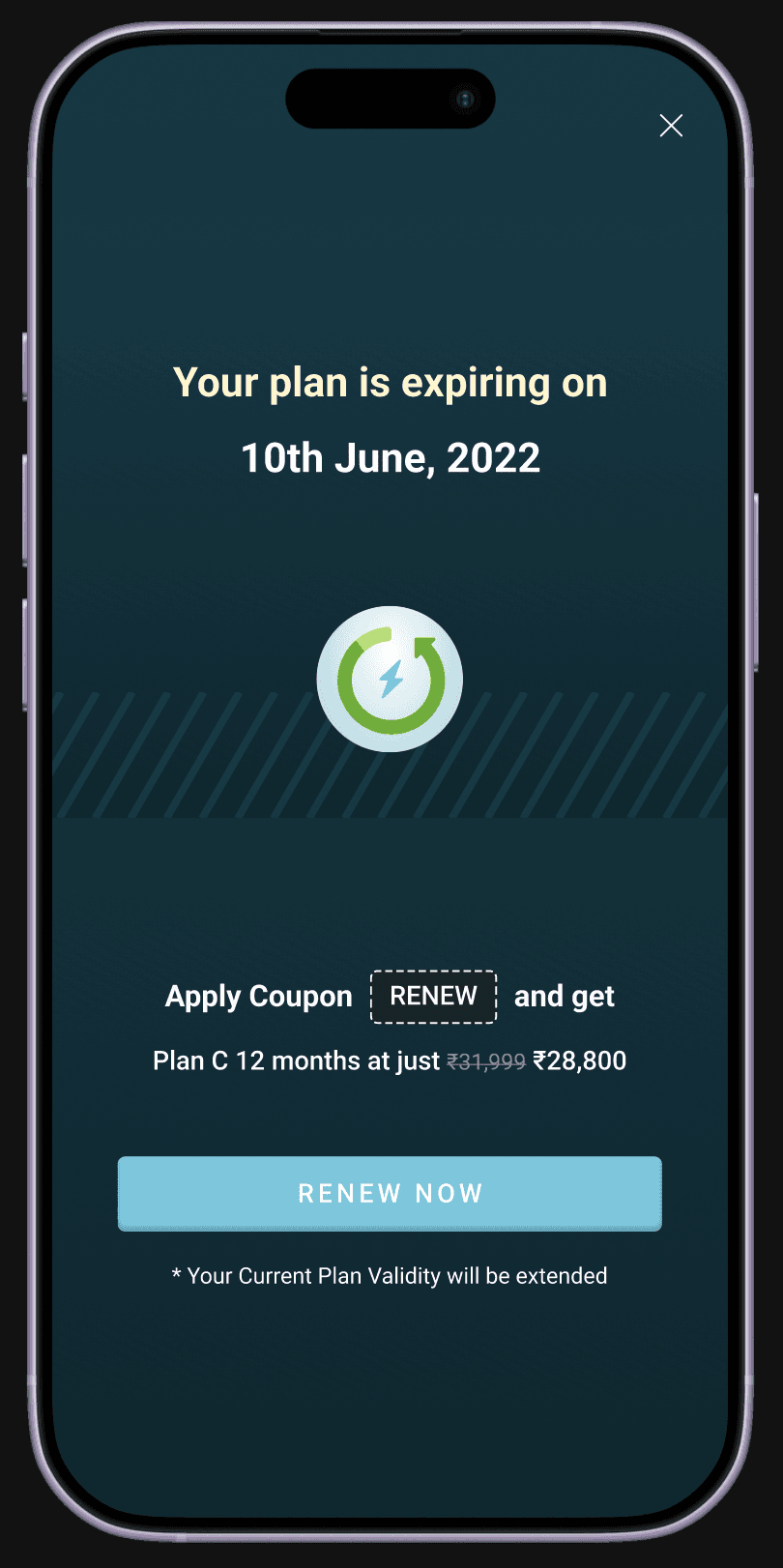
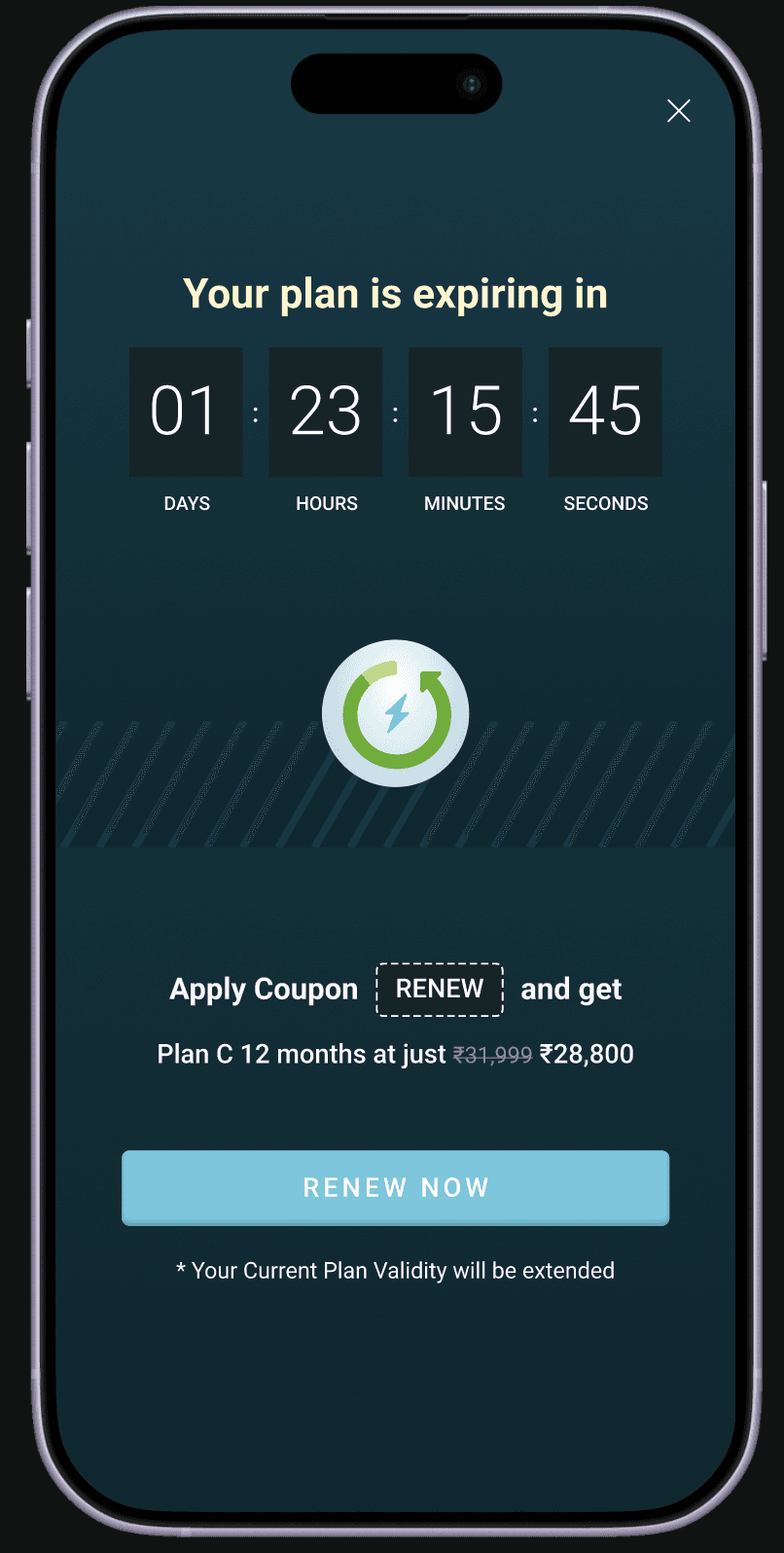
Full page banner
Only expiry + discount shown : no reminder of benefits or savings.
Lack of urgency : The copy feels flat and does not create emotional pressure.
Coupon feels mechanical The discount is shown like a code instead of a reward.
Generic CTA : “Renew Now” feels functional but not motivating.
Transactional design : The screen feels like a payment reminder instead of a premium renewal moment.
EXPLORATIONS
Exploring the approaches
Different directions were explored to understand what type of renewal messaging would feel the most persuasive.
Some concepts focused on progress, some on storytelling, and others on interaction and gamification.
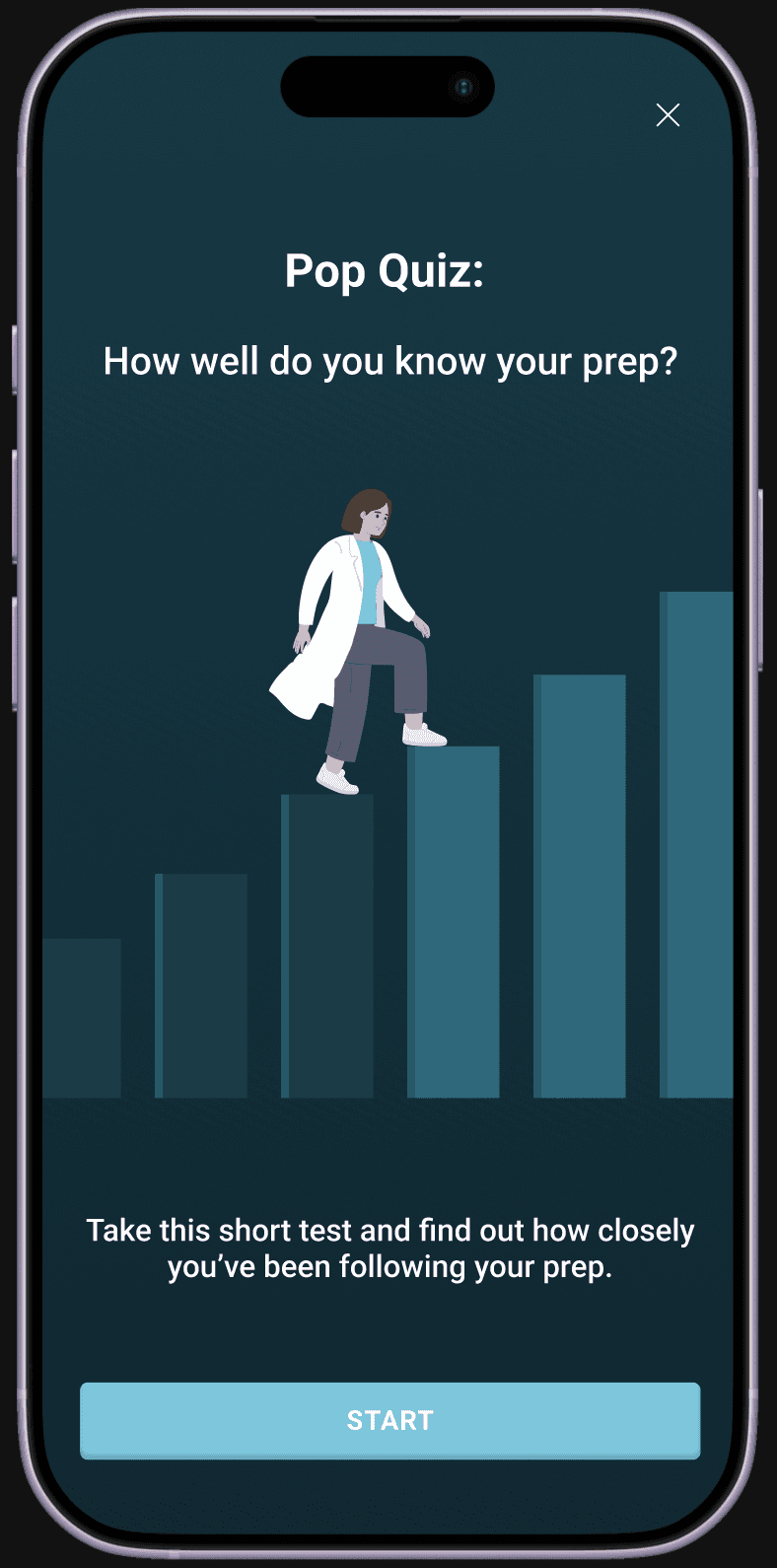
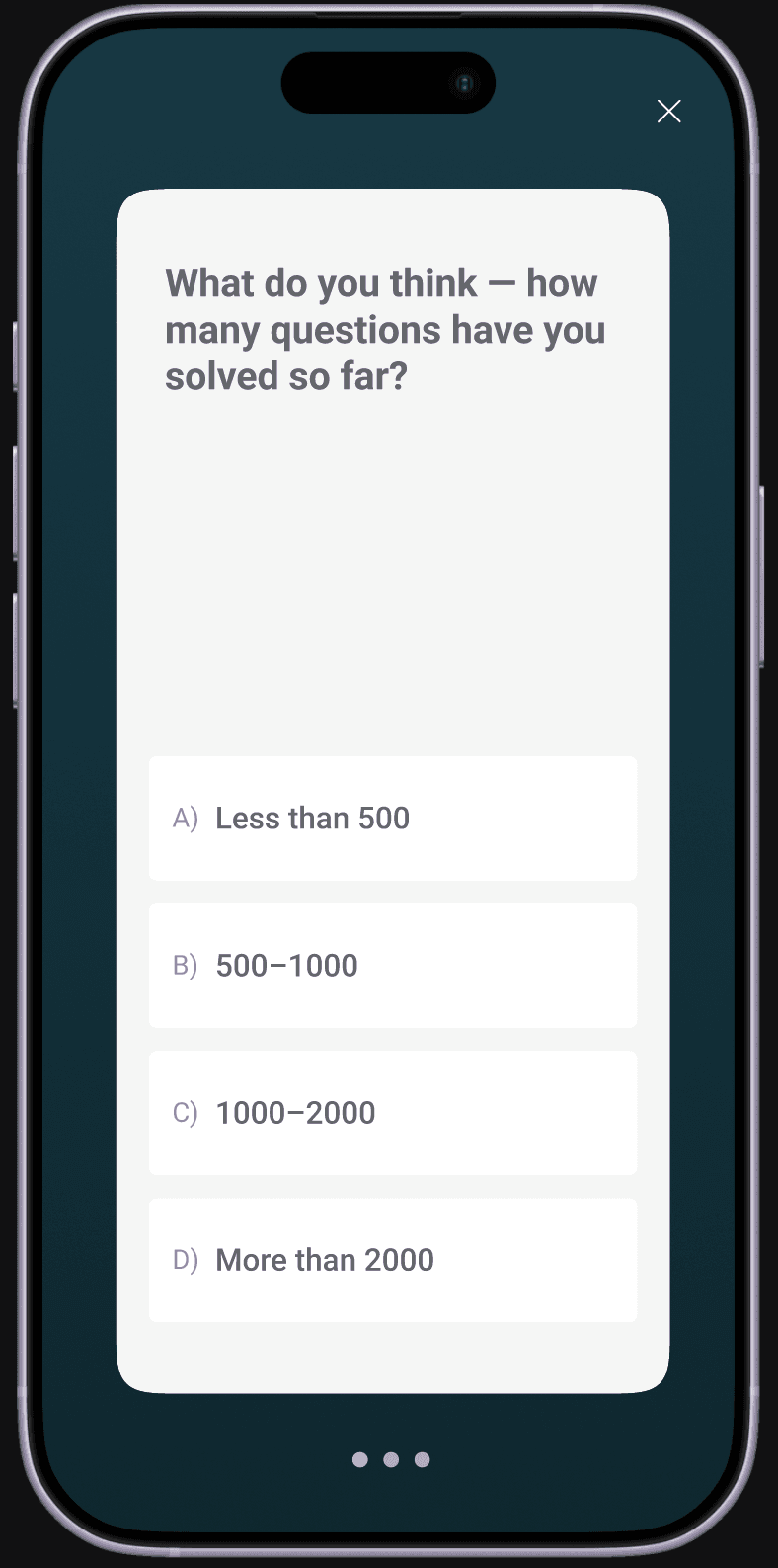
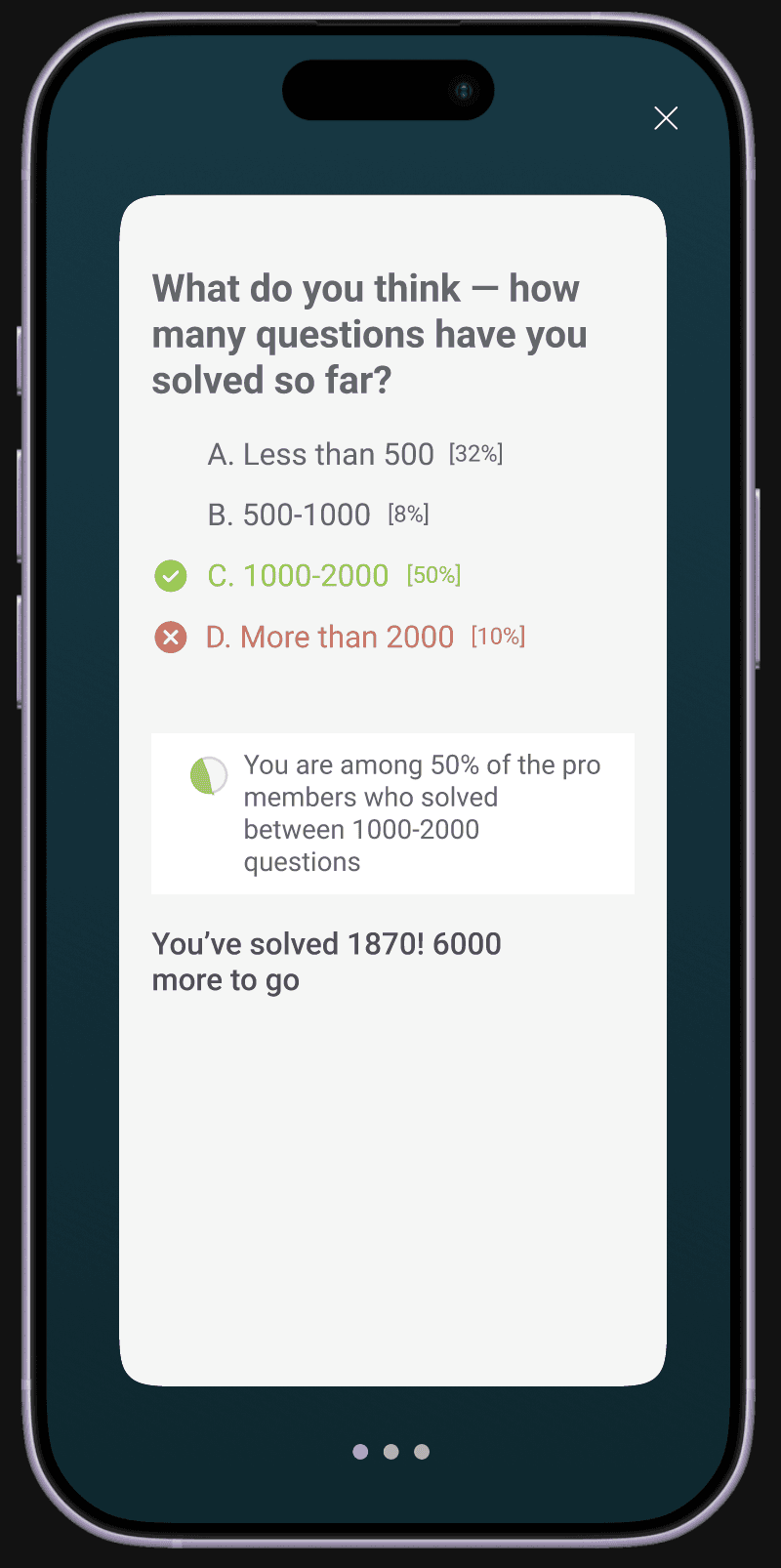
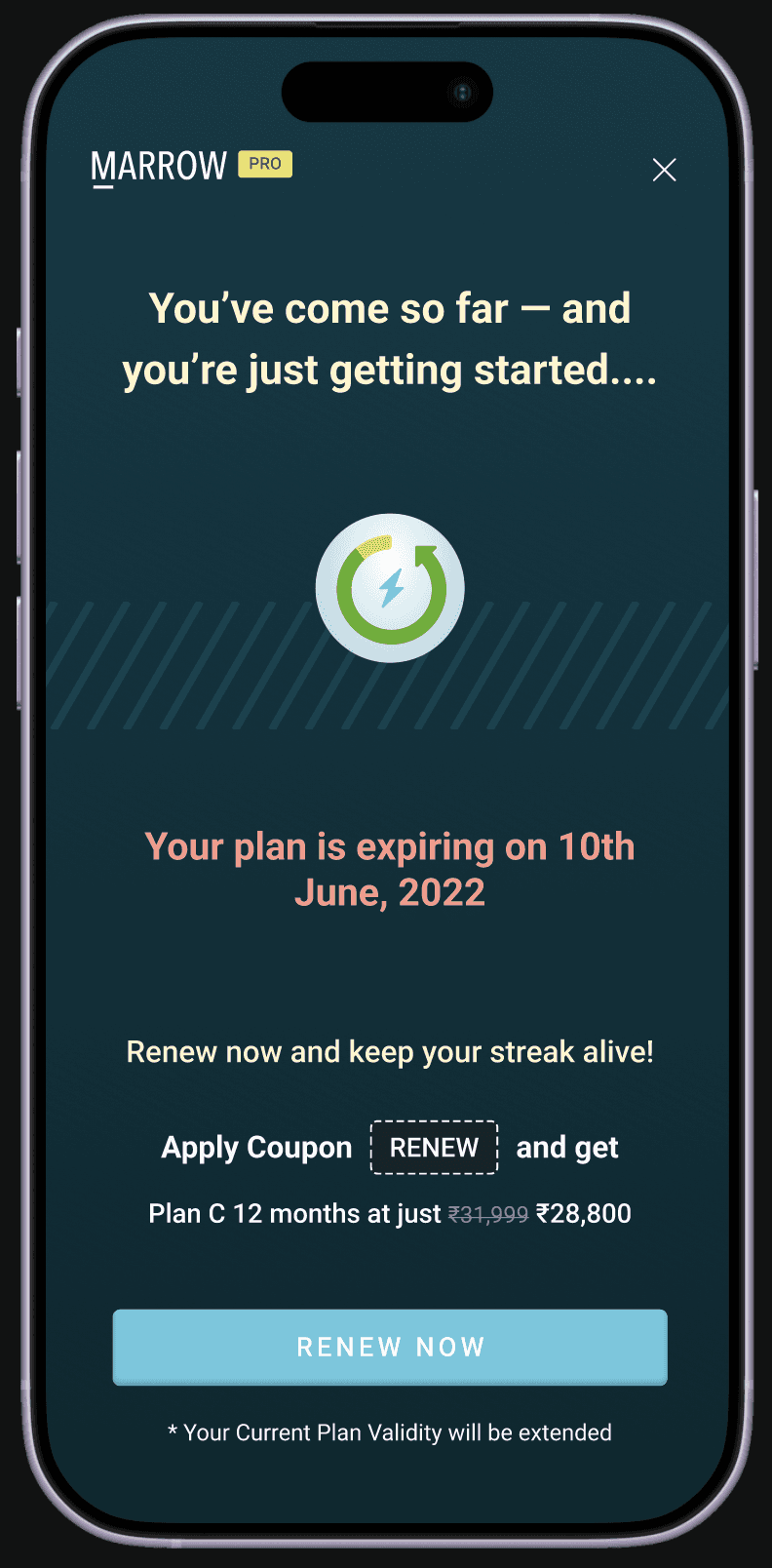
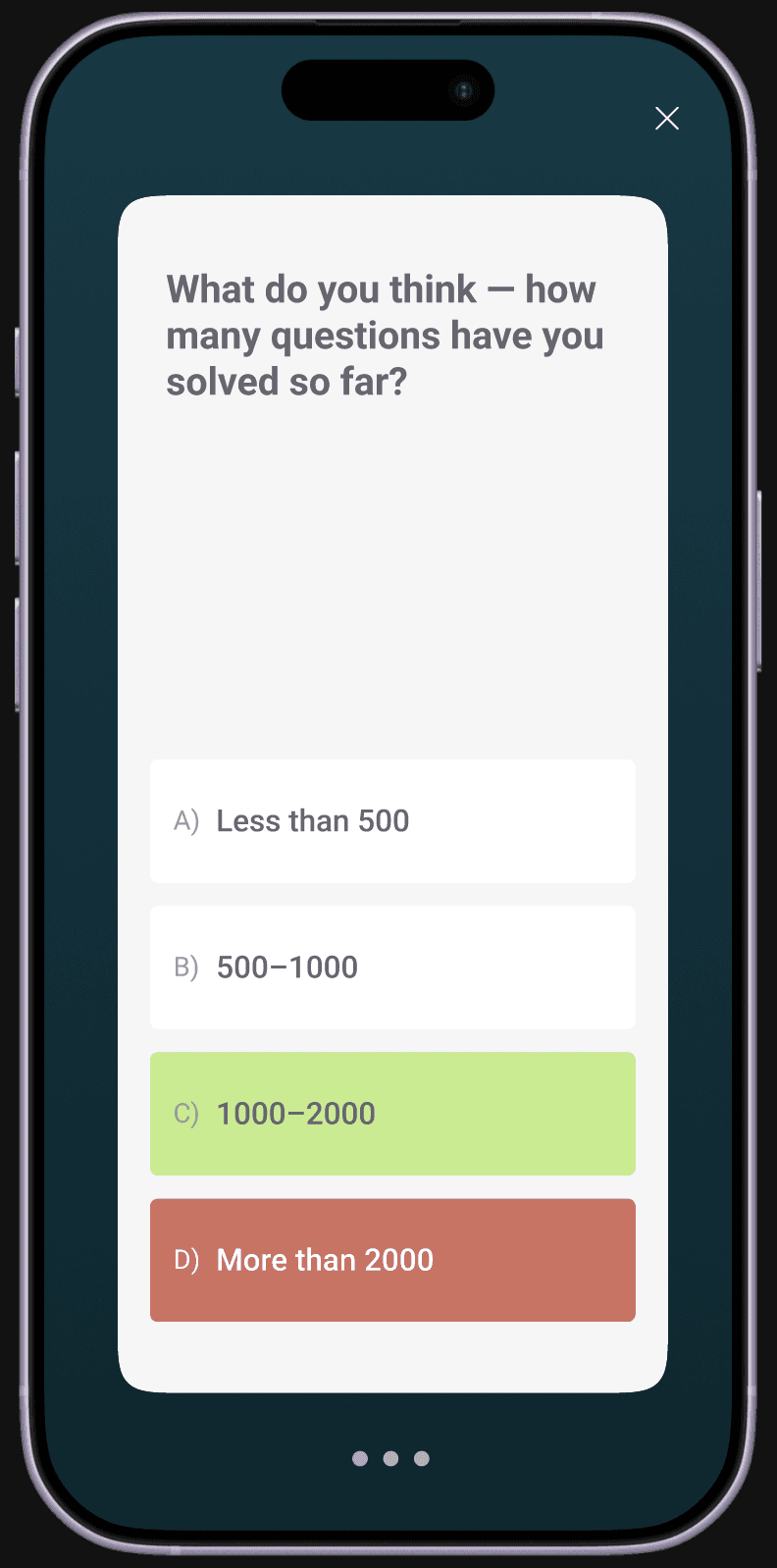
Creates curiosity and active participation
Uses surprise to reinforce achievement
Introduces comparison with peers
Makes the renewal flow feel playful
Builds an emotional arc from quiz to renewal
OPTION 3
Pop Quiz
Interactive · engaging · motivational
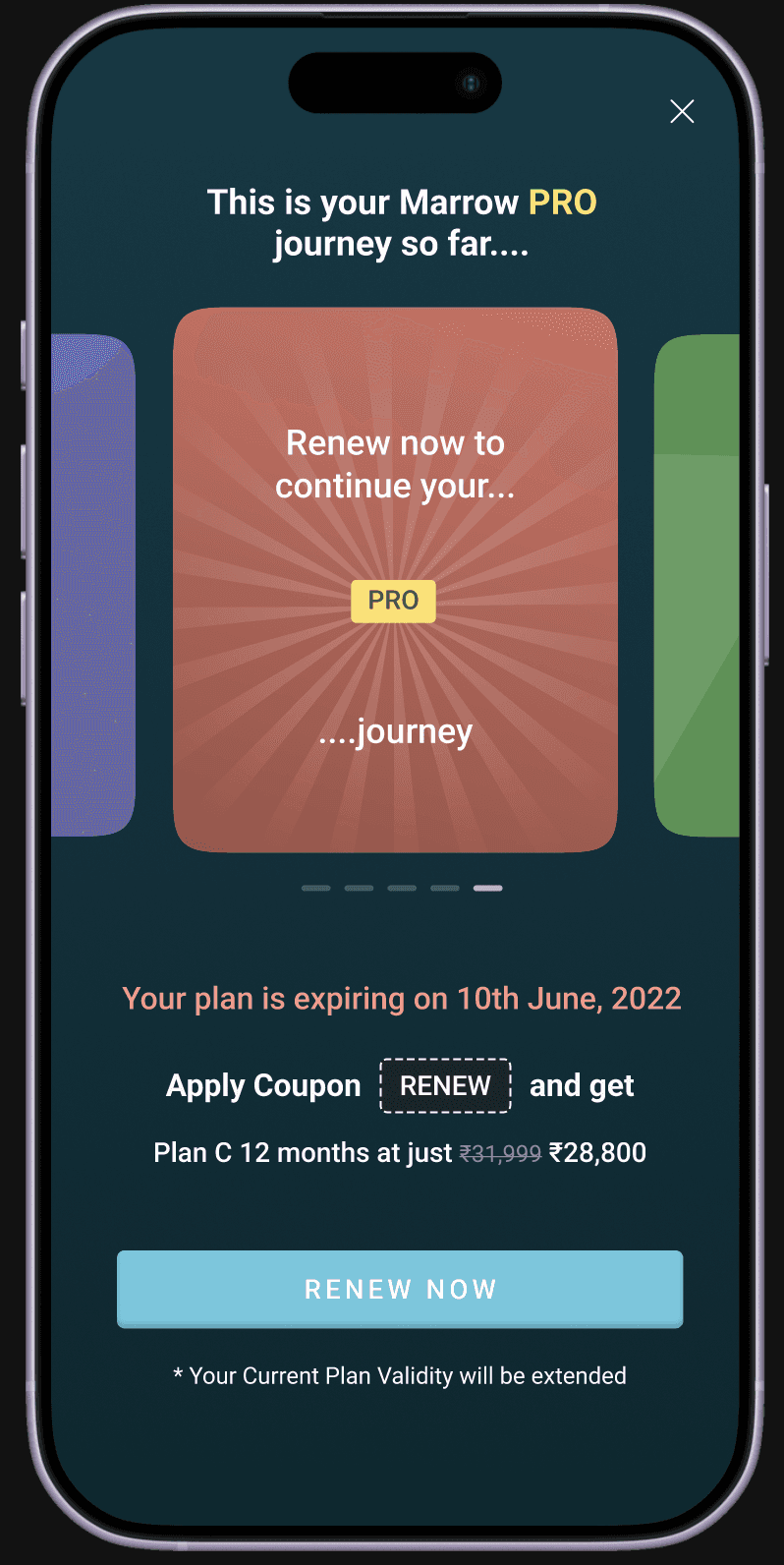
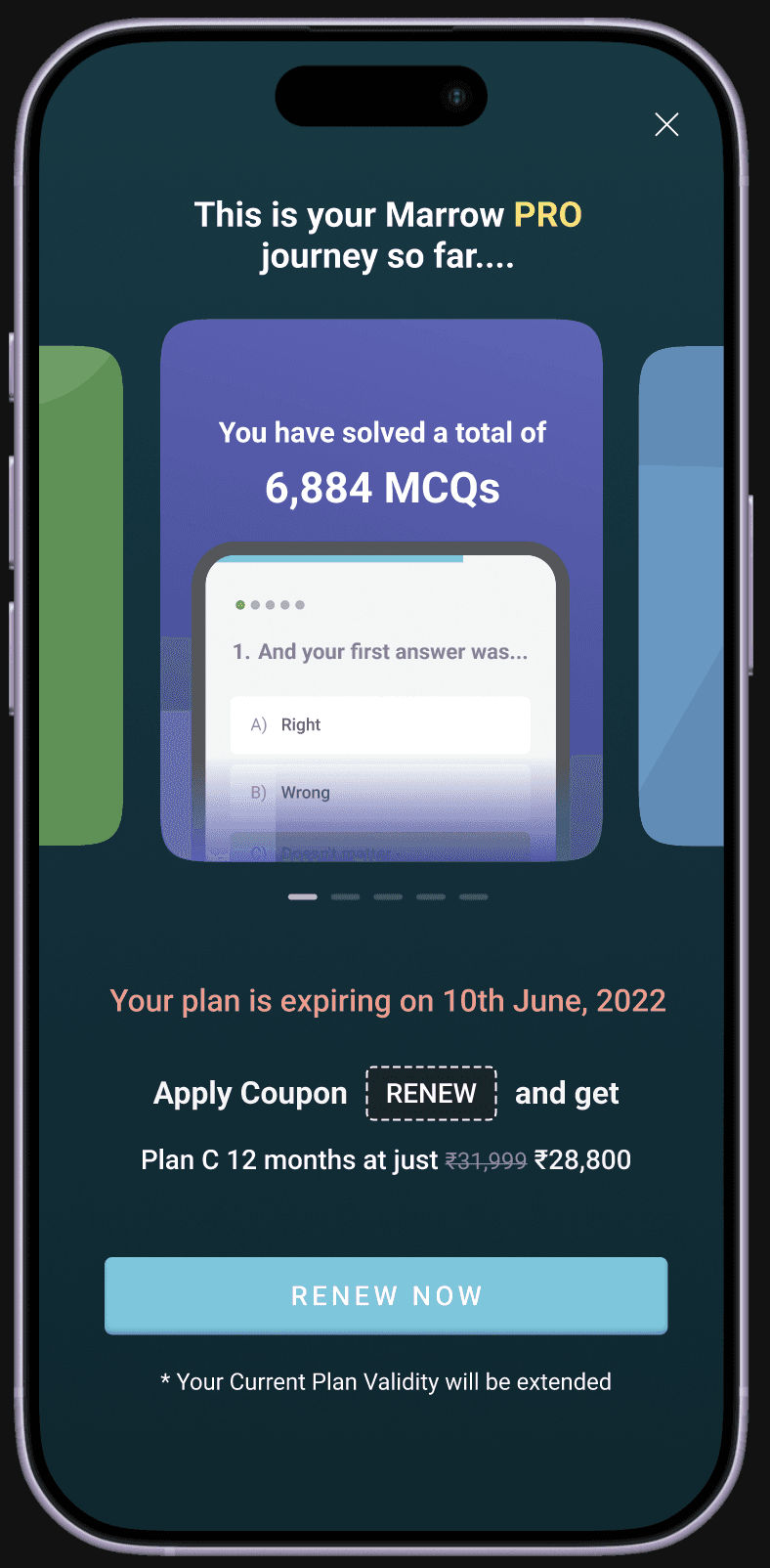
Turns progress into a story
Builds emotional momentum slide by slide
Makes renewal feel personal
Uses interaction to increase engagement
Delivers CTA at the emotional high point
OPTION 2
Journey Recap Carousel
Warm · reflective · celebratory
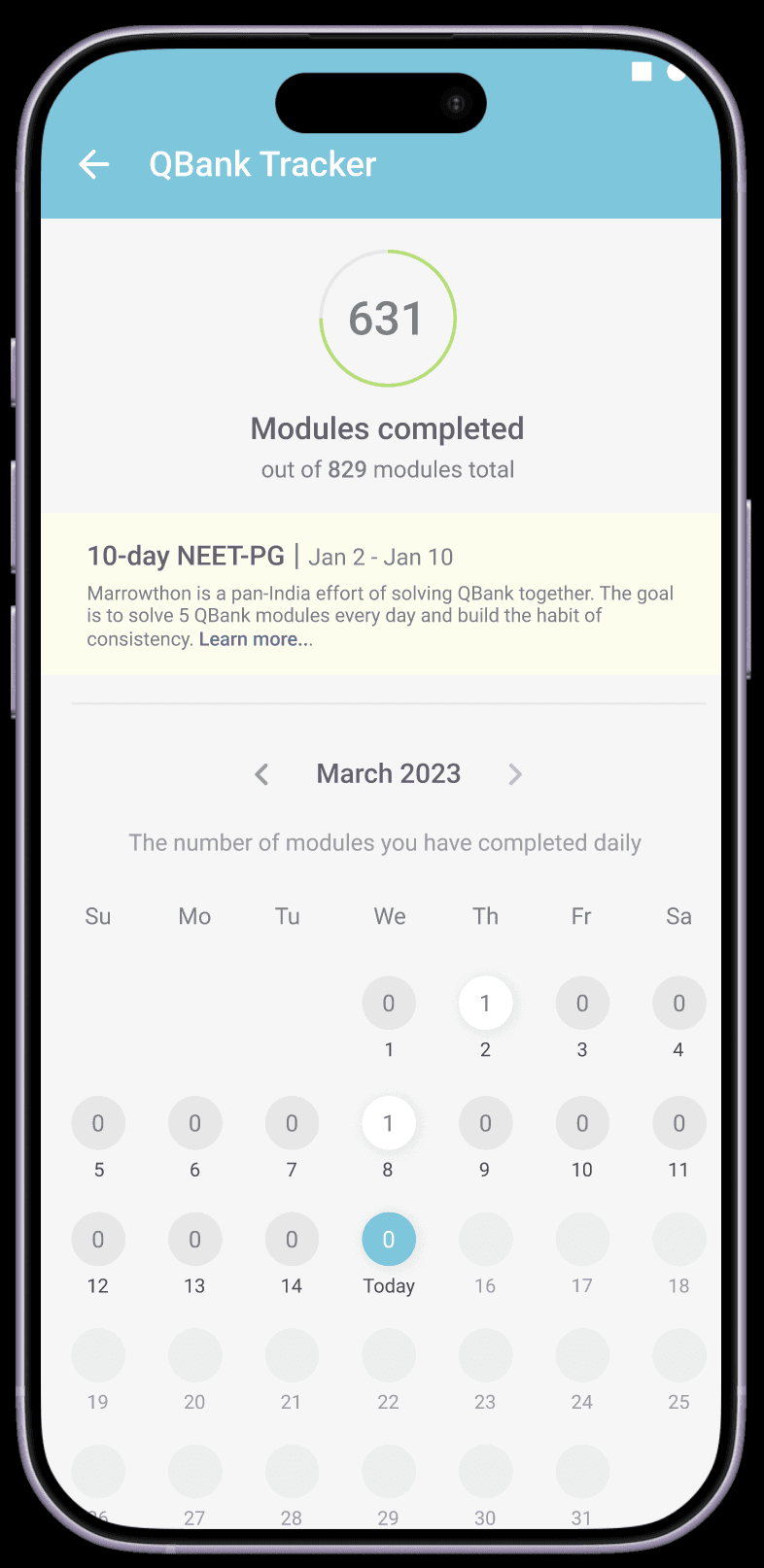
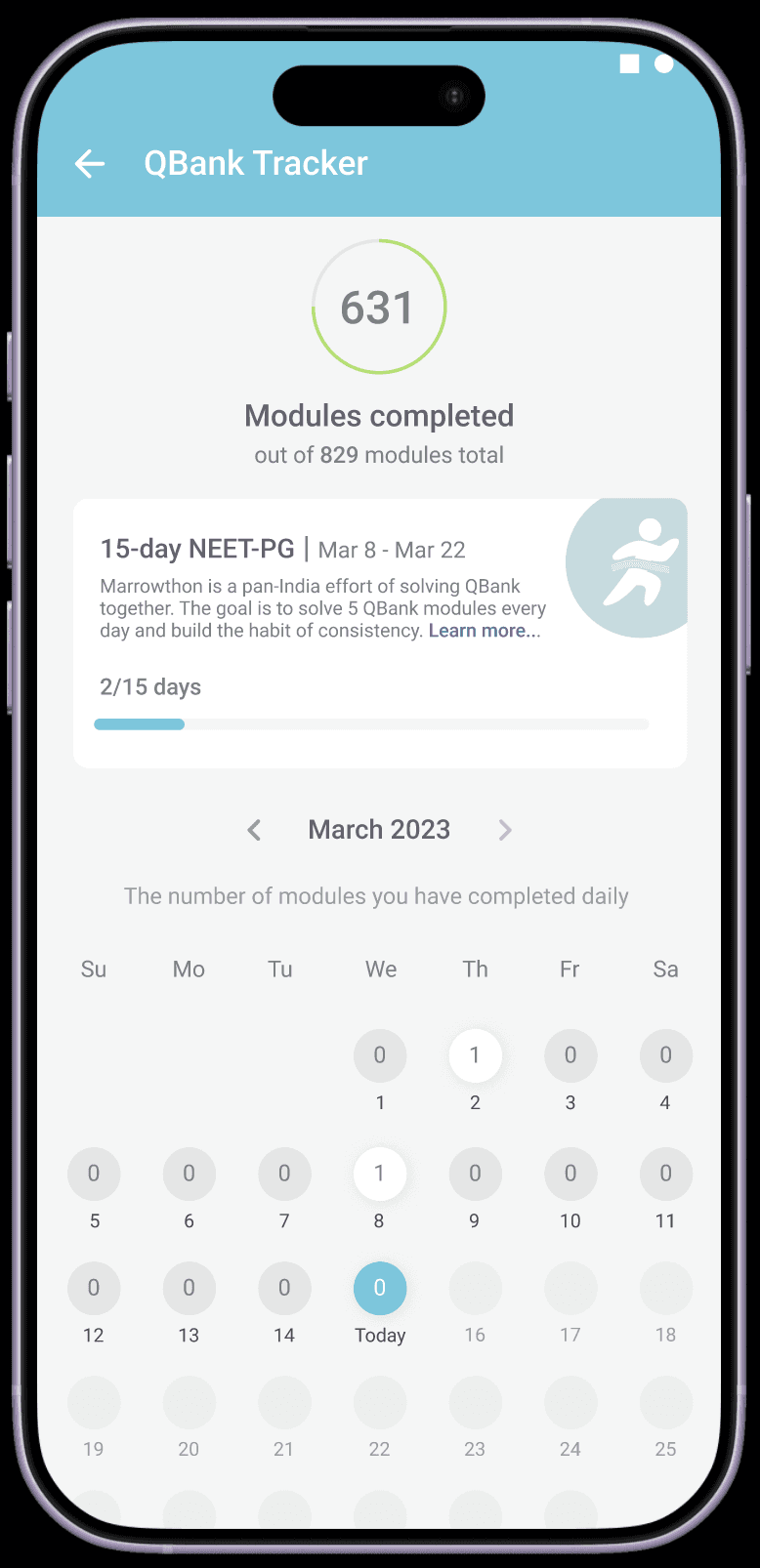
Gives Marrowthon its own space inside the tracker
Makes 15-day progress visible
Keeps users aware of challenge duration
Makes streak tracking easier
Helps users stay connected to the challenge
OPTION 2
Dedicated Tracker Card
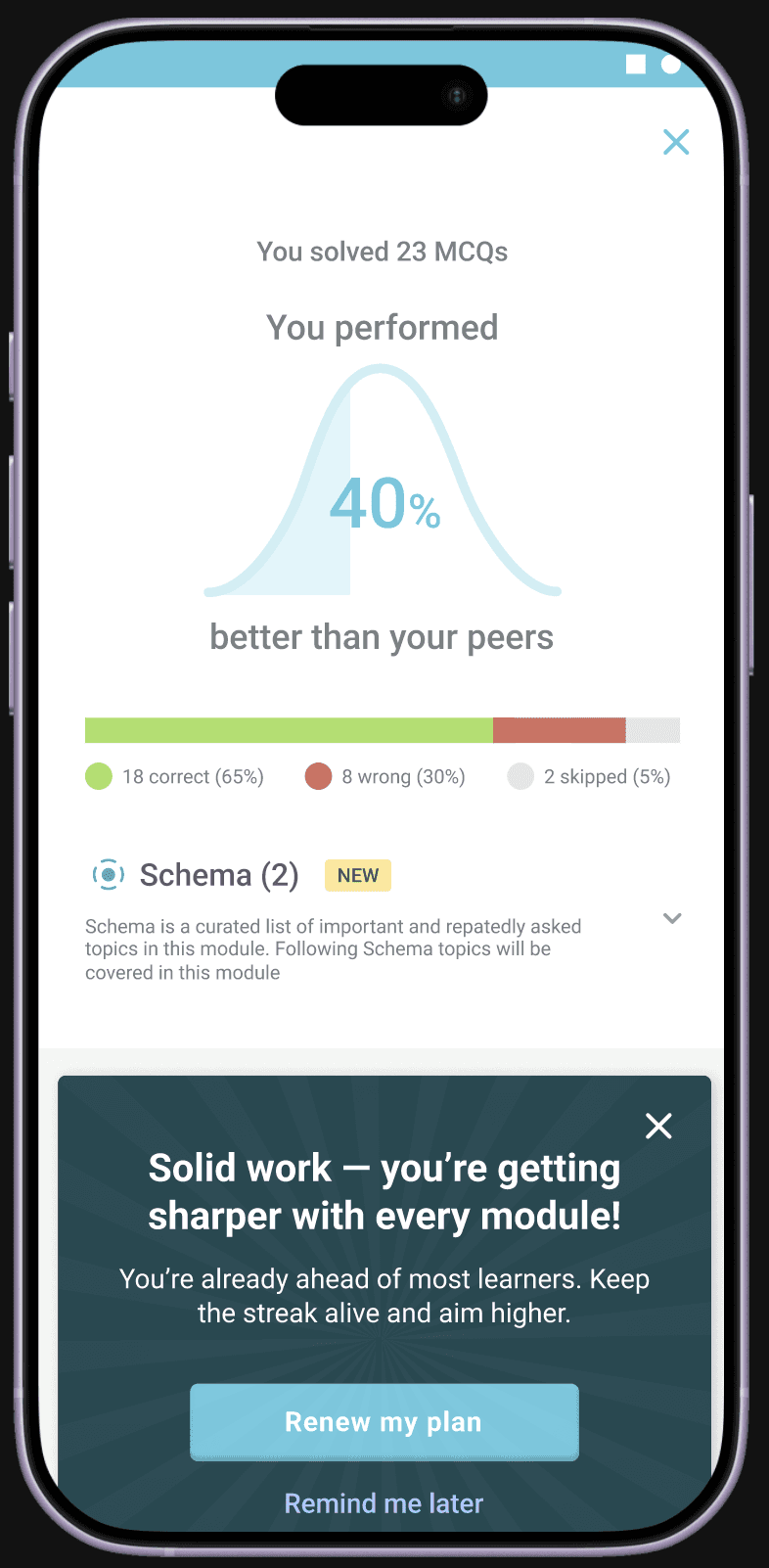
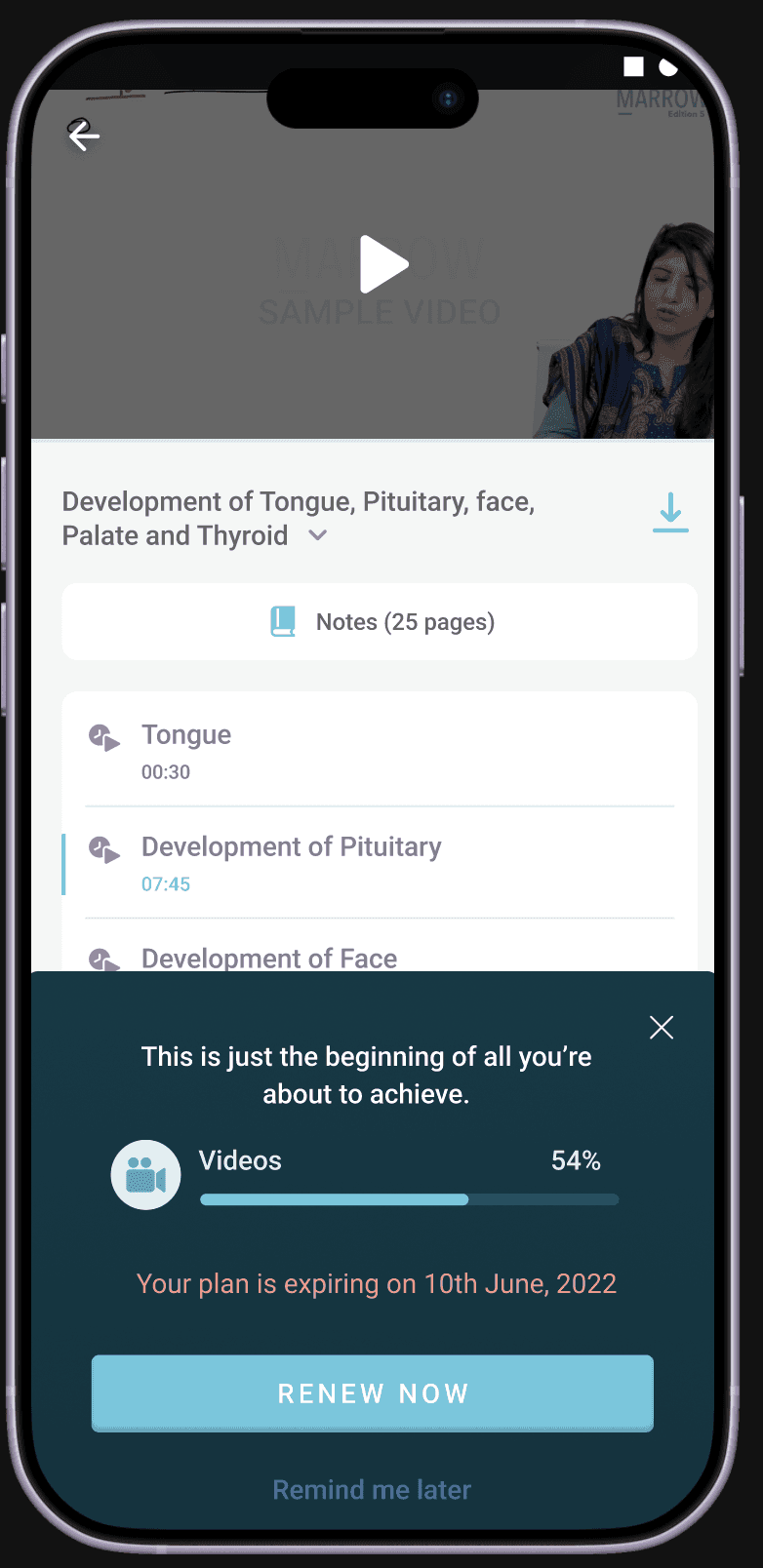
Appears at moments of accomplishment
Feels less intrusive than a full page popup
Uses performance and progress to motivate renewal
Keeps users inside the learning flow
Makes the CTA feel more contextual
OPTION 7
In-Context Nudges
timely · low-friction · Helpful
CHOSEN DIRECTION
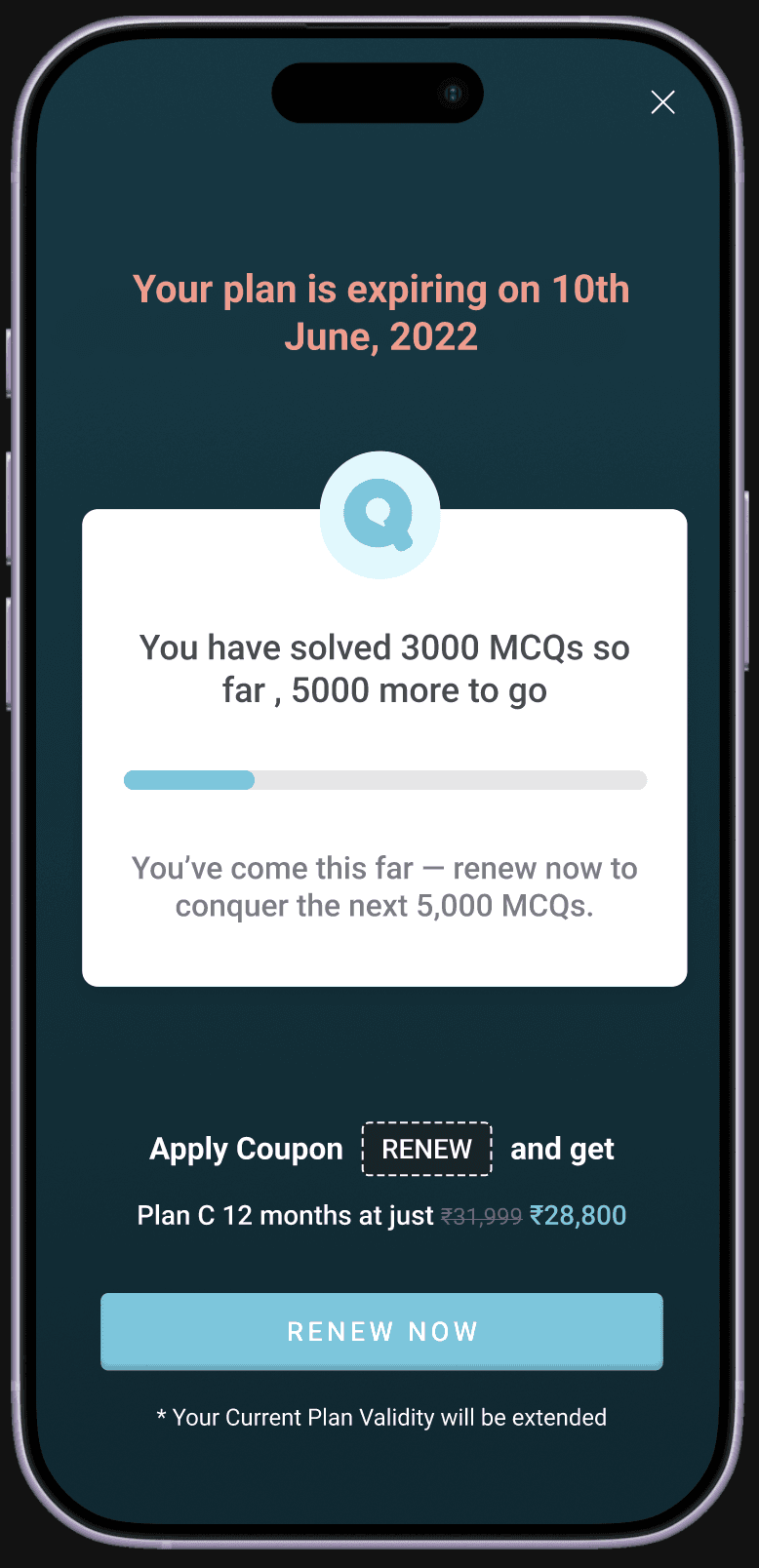
Appears at moments of accomplishment
Feels less intrusive than a full page popup
Uses performance and progress to motivate renewal
Keeps users inside the learning flow
Makes the CTA feel more contextual
OPTION 6
In-Context Nudges
timely · low-friction · Helpful
CHOSEN DIRECTION
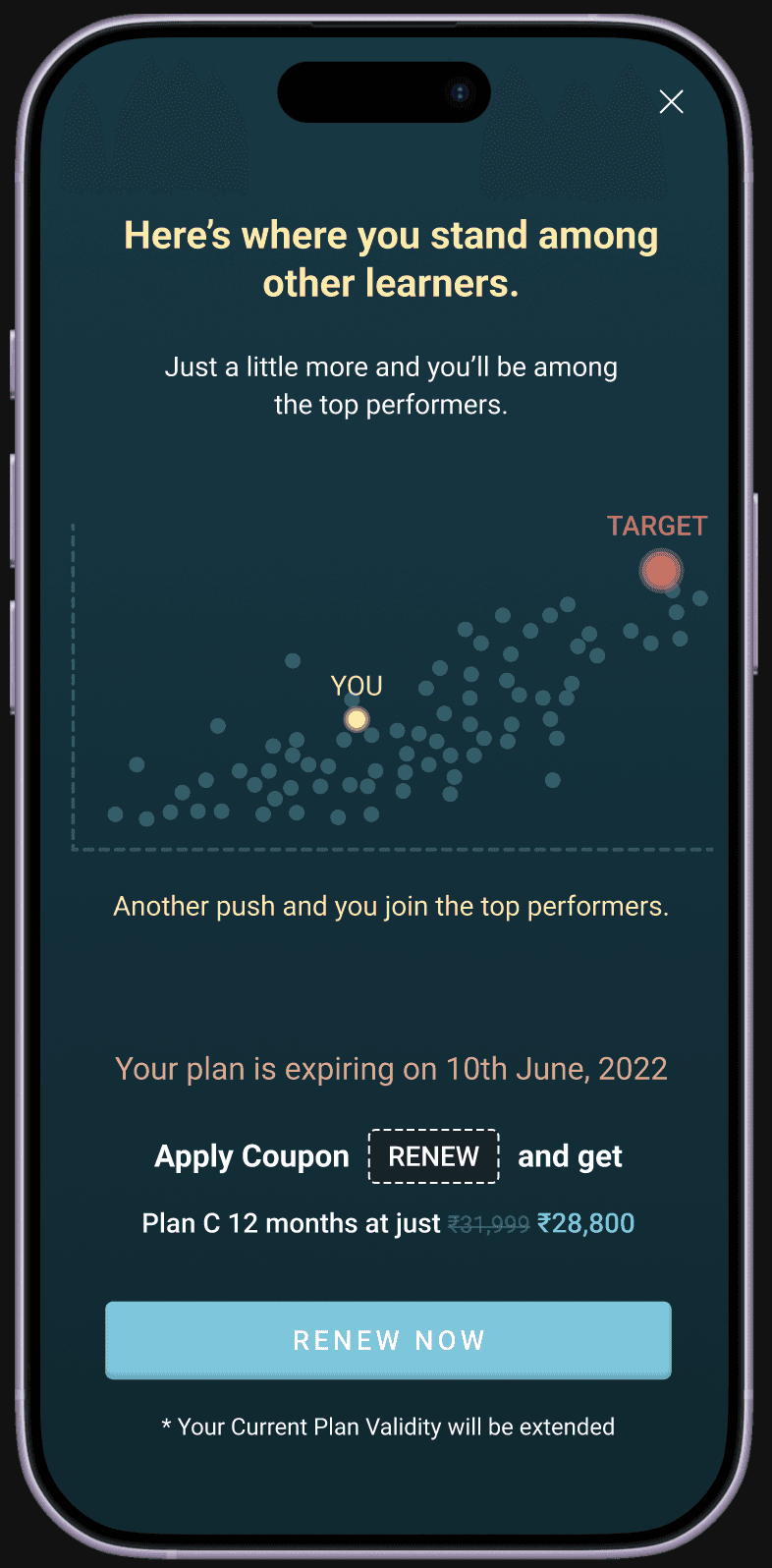
Shows users where they stand compared to other learners
Encourages users to keep going so they can reach the top tier
The graph creates a clear sense of distance from the goal
The messaging feels encouraging rather than pressure-driven
Renewing feels like the next step in reaching the target
OPTION 5
Peer Comparison
Aspirational · motivating · progress-driven
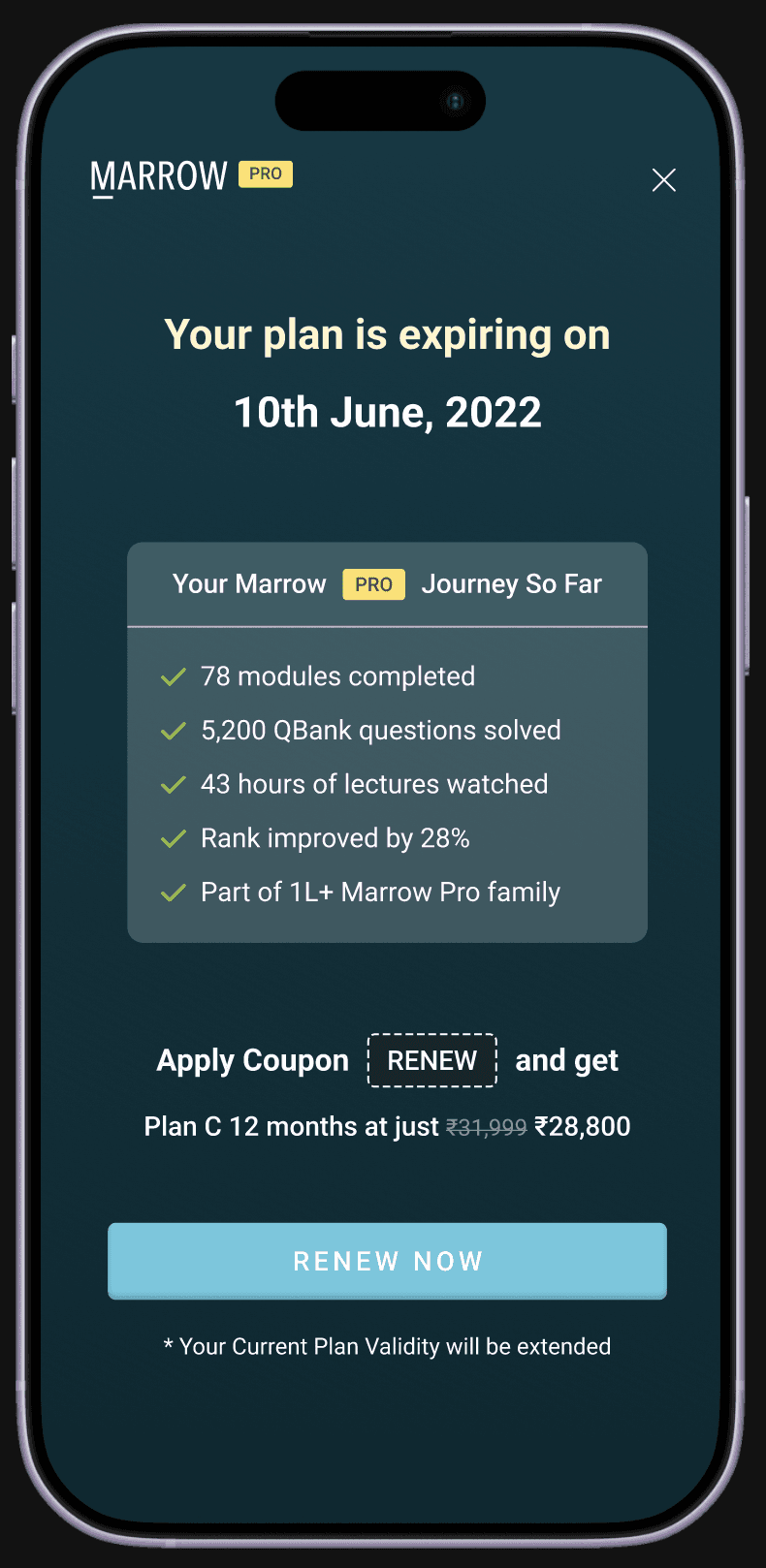
Familiar layout reduces cognitive load
Shows user achievements clearly
Creates pride in progress
Makes renewal feel like continuation
Uses social proof and subtle loss aversion
OPTION 1
Journey So Far
Familiar · proof-driven · credible
The current renewal flow communicates expiry, but does very little to motivate users to renew.
Most banners and popups feel like reminders rather than persuasive moments, which causes users to ignore them or postpone action.
Renewal should feel premium
Move away from transactional layouts.
Progress should be visible
Show users what they have achieved so far.
Discounts should feel like rewards
Frame savings as exclusive benefits.
Urgency should increase over time
Early reminders should feel gentle, while near-expiry reminders should feel stronger.
CTAs should be contextual
Buttons should connect directly to the value being offered.
Post purchase should feel celebratory
The upgrade experience should feel rewarding and aspirational.
Opportunity & Design Principles
GOAL
The current renewal flow communicates expiry, but does very little to motivate users to renew.
Most banners and popups feel like reminders rather than persuasive moments, which causes users to ignore them or postpone action.
01
Interactive Videos
02
Renew Experience
03
Marrowthon Experience
03
Feature · EVENT
Marrowthon Experience
UX Designer
ROLE
3 Months
TIMELINE
ios/Android
PLATFORM
BRIEF
Project Overview
Marrowthon is already a strong challenge concept, but the current experience does not do enough to reinforce streak behaviour, celebrate progress, or motivate users to complete all 15 days.
The challenge appears in only a few places inside the app, making it easy to overlook.
The brief was to redesign the Marrowthon experience to make it feel more visible, rewarding, and motivating throughout the full 15-day journey.
Intro
What Is Marrowthon?
Marrowthon is a 15-day in-app consistency challenge designed to encourage users to practice QBank every day.
The challenge is built around streak behaviour and daily repetition.
Challenge rules
Daily Requirement
Solve at least 3 QBank modules every day
Complete them before 11:59 PM
Only Subject Modules and PYQs count
Custom Modules are excluded
Streak Rules
Users must complete all 15 days consecutively
Missing even one day breaks the streak
No carry forward is allowed
Partial completion does not count
PROBLEM
Current screen
Marrowthon is built around streaks, but the current experience does not do enough to reinforce progress, motivation, or completion.
Since the challenge only appears inside the QBank landing page and tracker, it feels easy to miss and difficult to stay invested in.
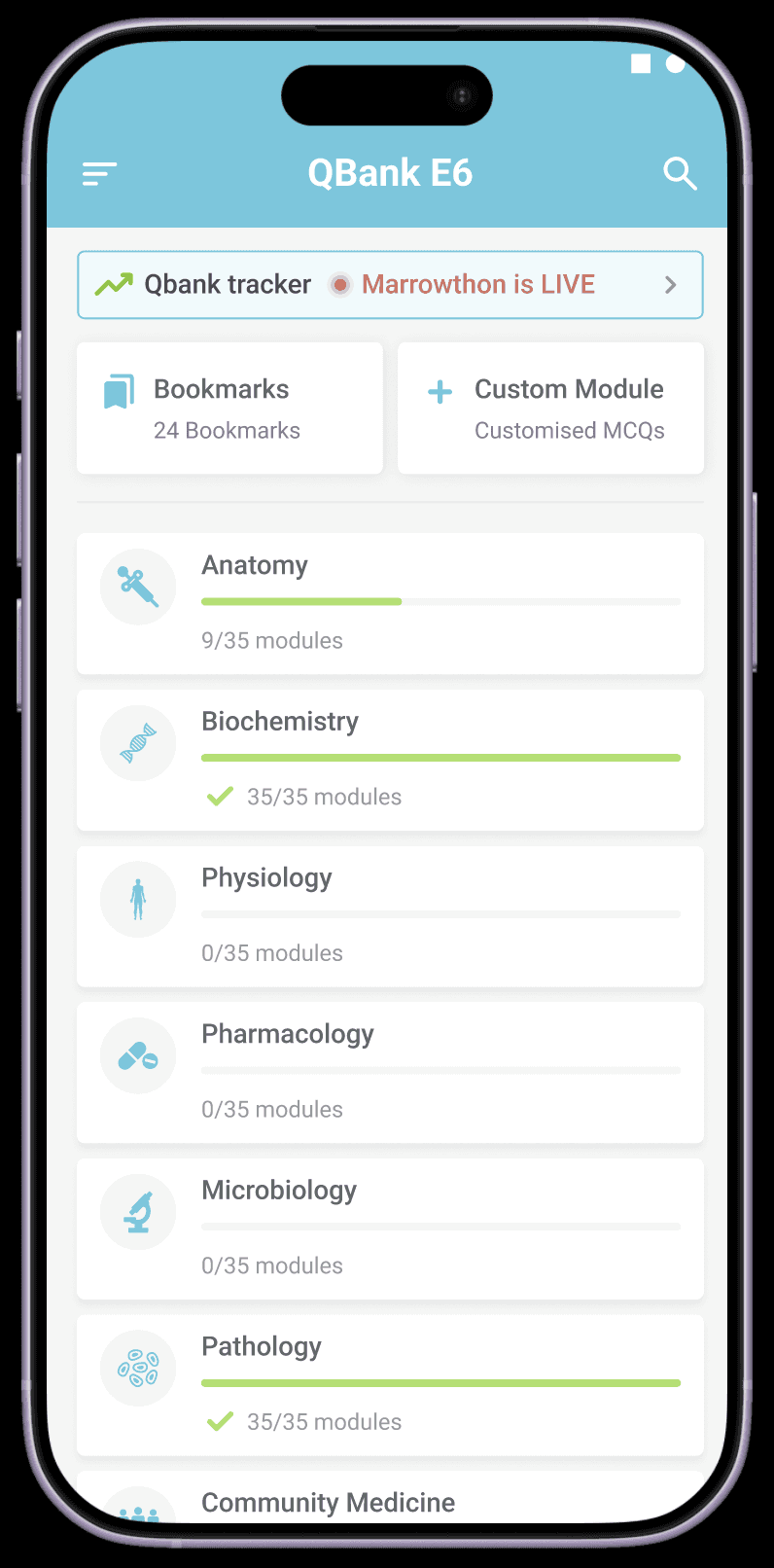
Limited Visibility
The challenge appears in very few places and does not feel like a major in-app event.
Weak Motivation
Users are not reminded to complete the 3rd module or maintain their streak.
Poor Progress Visibility
There is no clear Day X / 15 progress, timeline, or challenge countdown.
Lack Of Celebration
Daily completion does not feel rewarding enough.
No Guaranteed Reward
Users do not feel recognised for completing all 15 days.
Not Share-Worthy
The current experience does not feel exciting enough to share with peers.
Six directions. Each one targeting a different failure point.
Different concepts were explored to understand how Marrowthon could feel more motivating throughout the 15-day journey.
Some ideas focused on daily nudges, while others focused on streak tracking, celebration, and visibility.
Current
Proposed
Gives Marrowthon its own space inside the tracker
Makes 15-day progress visible
Keeps users aware of challenge duration
Makes streak tracking easier
Helps users stay connected to the challenge
OPTION 2
Dedicated Tracker Card
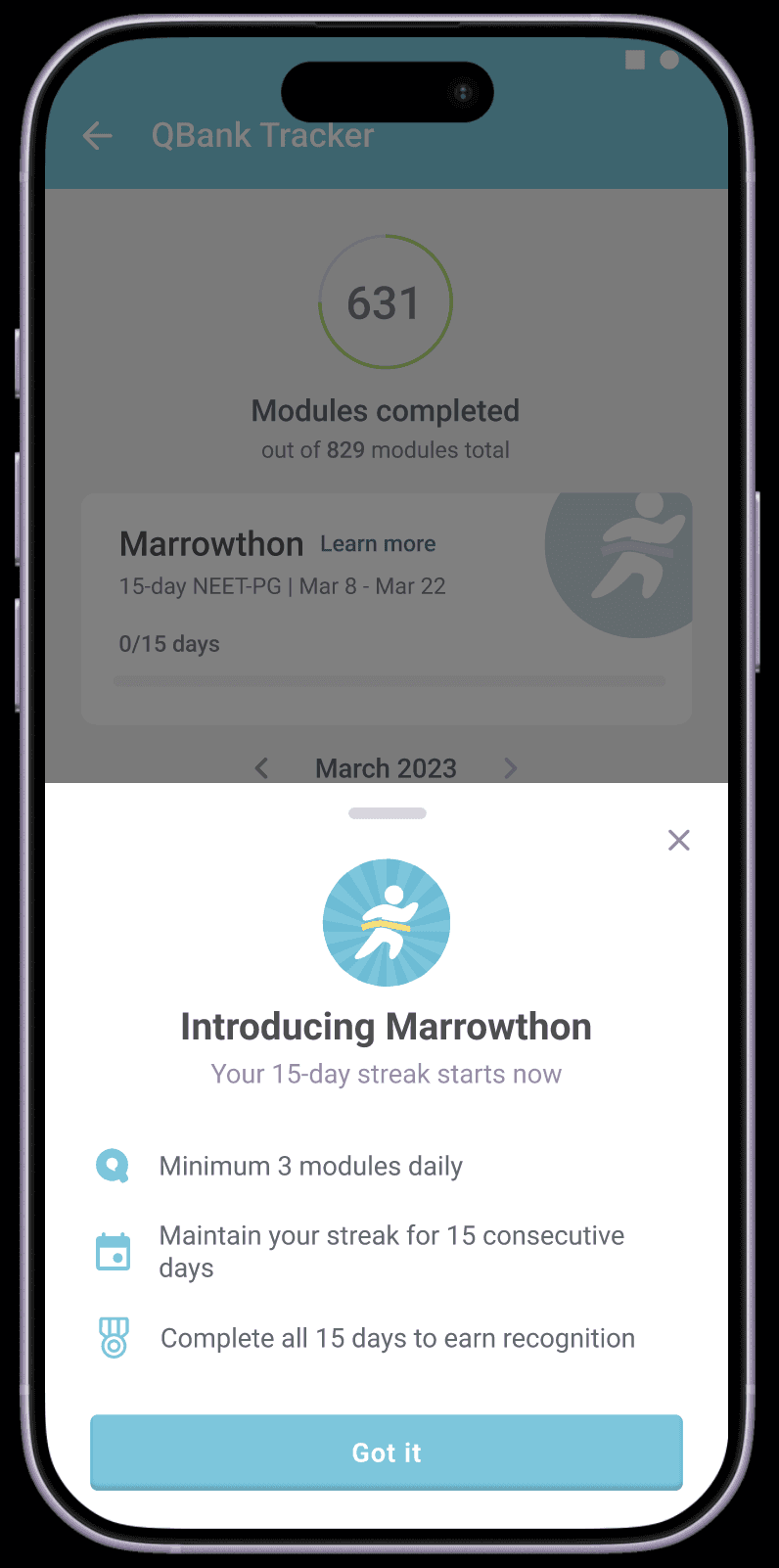
Introduces challenge rules clearly
Feels lightweight and easy to dismiss
Does not interrupt normal QBank behaviour
Helps users understand expectations early
Creates awareness at the beginning of the challenge
OPTION 3
Introduction Bottom Card

Creates a dedicated completion moment
Gives users recognition for consistency
Makes the reward feel guaranteed
Encourages sharing and celebration
Reinforces the effort users invested over 15 days
OPTION 6
Elevating The 15-Day Milestone
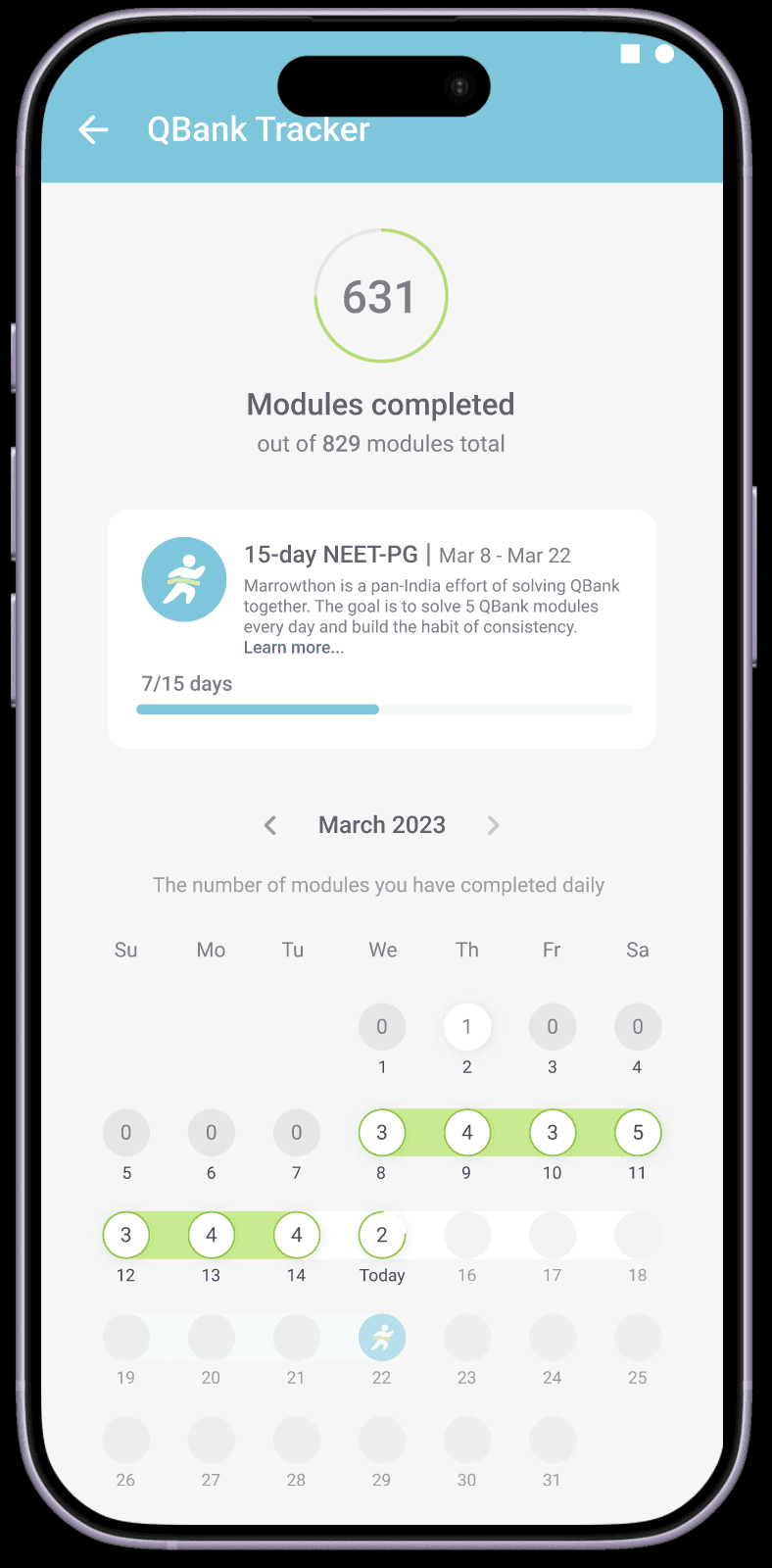
Makes consecutive streak days visible
Shows broken streaks clearly
Creates a sense of challenge timeline
Helps users understand how far they have come
Makes the end goal feel more tangible
OPTION 5
Streak Mapping In Calendar

Replaces the regular completion animation
Makes daily completion feel more rewarding
Highlights overall challenge progress
Reinforces consistency visually
Helps Marrowthon feel distinct from regular QBank usage
OPTION 4
Daily Streak Reinforcement
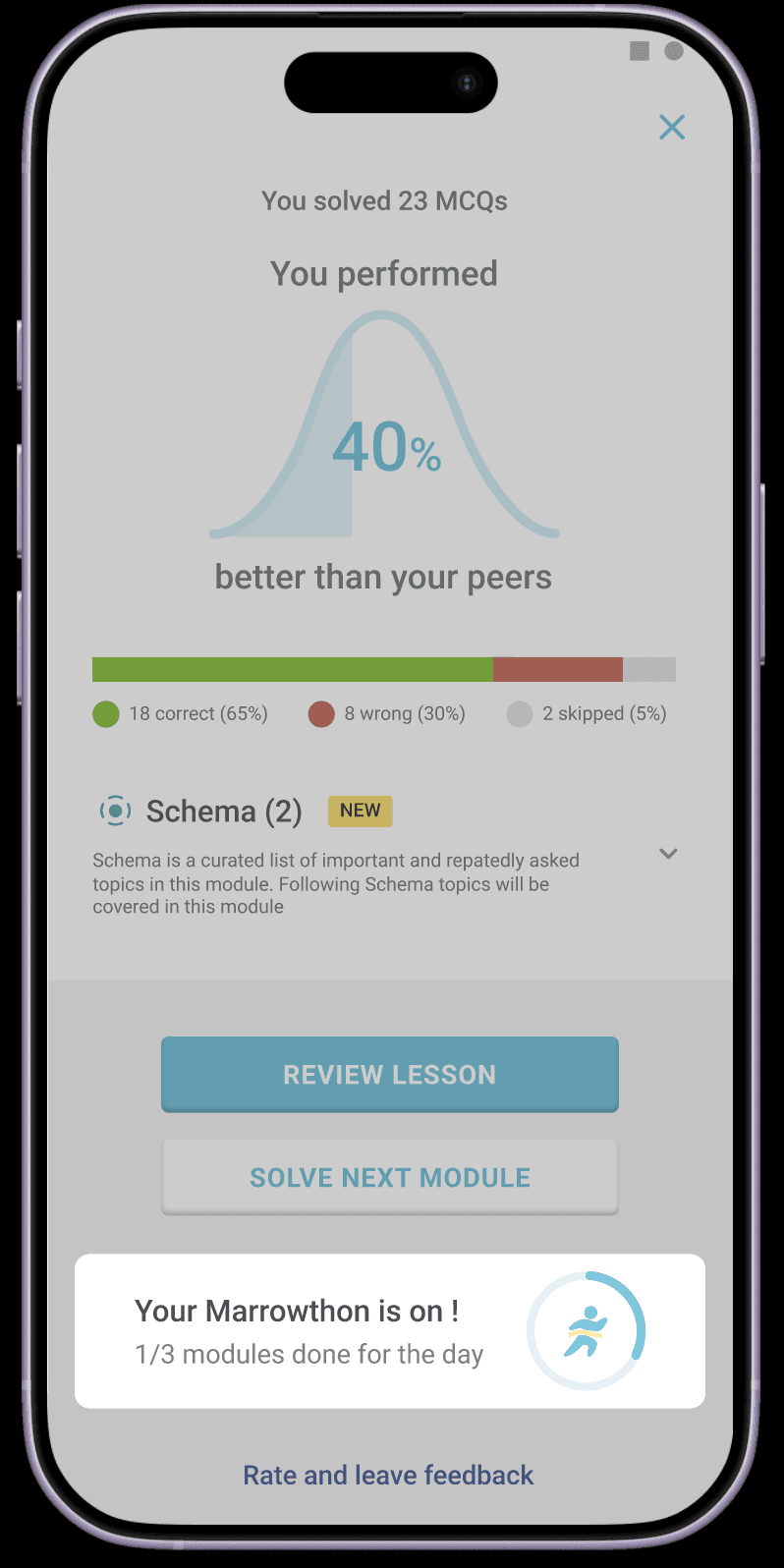
Appears after every module result
Shows progress like 1/3 or 2/3 modules completed
Encourages users to finish the remaining modules
Keeps the challenge visible throughout the day
Feels lightweight and contextual
OPTION 1